Video Wall Display
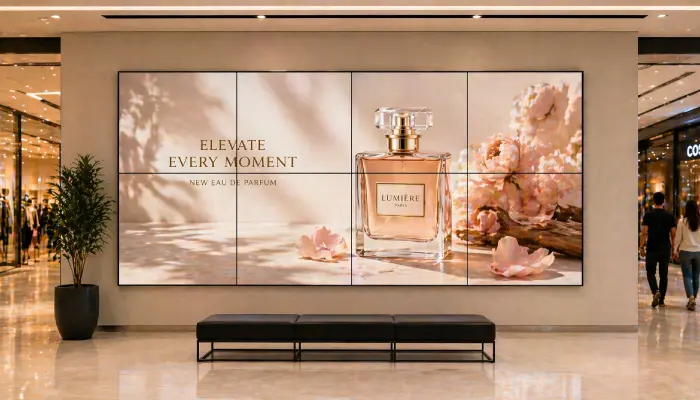
Create stunning multi-screen video walls for lobbies, control rooms, and large-format brand experiences, all managed from one dashboard.
- Synchronised multi-screen playback
- Auto-split content across screens
- Supports images and videos
- Remote management of all screens

Perfect for
Brands, control rooms, and venues making a bold visual statement with multi-screen displays.
How it works
Set up your first screen in minutes. No technical skills required.
Set up your screens
Mount your screens in the desired grid arrangement and connect each one to the EasySignage dashboard.
Configure video wall
Define your grid layout - 2×2, 3×3, or custom - in the video wall settings, then assign each screen to its position in the grid.
Create your content
Upload images or videos to a dedicated video wall playlist. EasySignage automatically splits the content across each screen.
Publish and sync
Assign the playlist to your video wall and publish. All screens play in perfect sync, seamless across the entire display canvas.

Why Use a Digital Video Wall?
Video walls create a powerful visual centrepiece that commands attention, communicates at scale, and elevates the perceived quality of any space.
Software-Based Video Walls
EasySignage turns any group of Android screens into a synchronised video wall; no expensive proprietary controllers needed.
Synchronised Playback
All screens in the wall play in perfect sync, creating a seamless large-canvas visual experience across any number of panels.
Flexible Layouts
Configure 2×2, 3×3, or any custom grid arrangement to match your physical screen setup and content requirements.
Remote Content Management
Update what plays on your video wall from anywhere. Push new content instantly without visiting the location.
Auto Content Splitting
Upload a single image or video and EasySignage automatically divides it across each screen in the grid.
Recommended apps
These EasySignage apps work best for video wall display.
Frequently asked questions
Ready to get started?
Set up your first video wall display in under 10 minutes.
Start for Free — 1 Screen ForeverNo credit card required. FREE for 1 screen!