Meeting Room Display
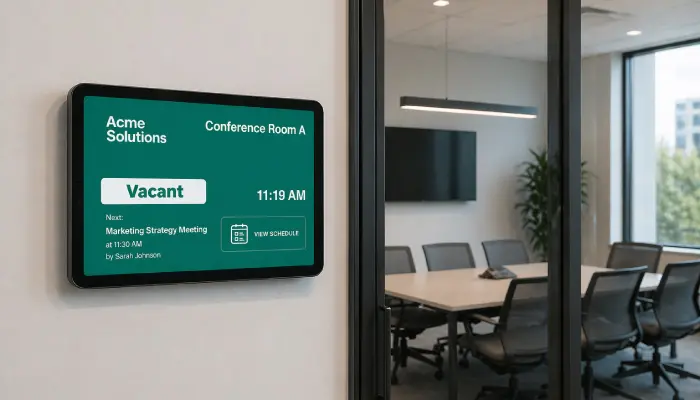
Show room availability, current and upcoming meetings, and booking info on screens outside each conference room. No more door-knocking.
- Live room availability status
- Current and next meeting info
- Google Calendar & Outlook sync
- Door label format for small screens

Perfect for
Corporate offices and co-working spaces managing multiple meeting rooms and shared spaces.
How it works
Set up your first screen in minutes. No technical skills required.
Connect a calendar
Link Google Calendar or Outlook to EasySignage; room bookings sync automatically with no manual data entry.
Set up your displays
Mount a small screen or tablet outside each meeting room. EasySignage works on many supported devices.
Live room availability
The screen shows current room status and upcoming meetings, updating automatically as calendars change.
Manage all rooms from one dashboard
Update content or troubleshoot screens across your entire office from a single browser interface.
Why Use Meeting Room Displays?
Meeting room screens eliminate the confusion of double-bookings and interrupted meetings, making office space management seamless.
Google Calendar Sync
Pull live room bookings from Google Calendar and display them automatically; always up to date.
Outlook Calendar Support
Works with Microsoft Outlook and Office 365 calendars for organisations on the Microsoft ecosystem.
At-a-Glance Availability
Green/red availability indicators let anyone know instantly whether a room is free before they walk in.
Door Label App
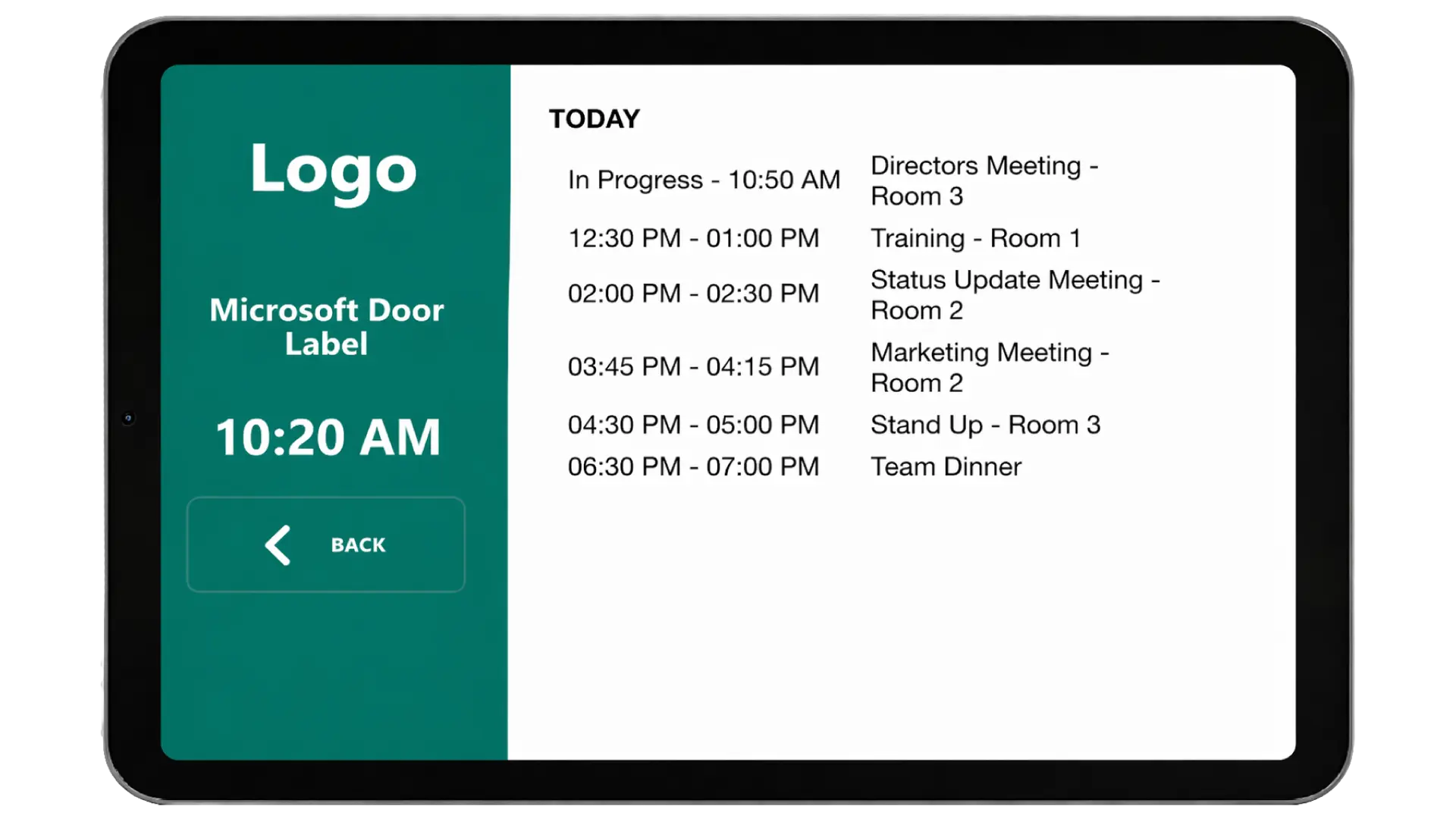
Use compact screens in door label format to display room names, current bookings, and next availability.
Upcoming Schedule View
Show the full day's booking schedule so teams can plan around existing meetings without checking their phone.
Recommended apps
These EasySignage apps work best for meeting room display.
Frequently asked questions
Ready to get started?
Set up your first meeting room display in under 10 minutes.
Start for Free — 1 Screen ForeverNo credit card required. FREE for 1 screen!