Healthcare & Medical Digital Signage
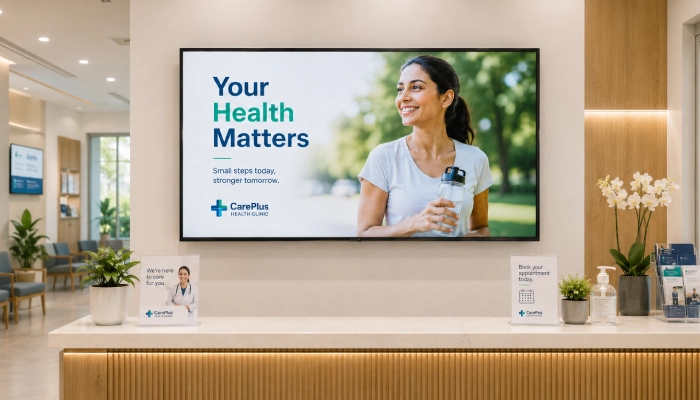
Guide patients across large facilities, reduce anxiety in waiting areas, communicate with staff, and deliver health education on screens throughout hospitals, clinics, and health centres.
- Wayfinding and department directories
- Patient education and procedure information
- Staff and internal communications
- Emergency and urgent notice displays
- Appointment and scheduling information
- Manage all screens across the facility

Perfect for
Hospitals, medical clinics, health centres, and large healthcare facilities.
How it works
Set up your first screen in minutes. No technical skills required.
Map your content zones
Identify where screens will go, lobbies, corridors, waiting rooms, staff areas, and decide what content each zone needs.
Create your content
Use Canva or Google Slides to design patient education slides and internal notices. Connect Google Sheets for live scheduling data.
Publish to the right screens
Assign content to specific screens or zones. Wayfinding goes to corridors, patient education to waiting rooms, staff notices to break rooms.
Update and override instantly
Change appointment info, push an urgent notice, or update a department directory; live on every relevant screen.

Why Use Digital Signage in Healthcare Facilities?
Digital signage in hospitals and clinics improves patient experience, reduces staff interruptions, supports clinical communication, and keeps everyone moving through the facility efficiently.
Wayfinding & Department Directories
Guide patients and visitors to the right ward, department, or consultation room with clear directional displays throughout corridors, lobbies, and entrances.
Patient Education
Display procedure explanations, condition information, pre-appointment instructions, and post-care advice to prepare and reassure patients during their visit.
Emergency & Urgent Notices
Push urgent messages, facility-wide alerts, or emergency instructions to all screens instantly, overriding scheduled content when it matters most.
Staff & Internal Communications
Display shift updates, policy reminders, training notices, and internal announcements on staff-facing screens in break rooms and corridors.
Appointment & Scheduling Displays
Show today's clinic schedule, consultant availability, and estimated appointment wait times to keep patients informed without front-desk involvement.
Multi-Zone Screen Management
Run different content in waiting rooms, corridors, consultation areas, and staff zones, all managed from one dashboard.
Recommended apps
These EasySignage apps work best for healthcare & medical digital signage.
Frequently asked questions
Ready to get started?
Set up your first healthcare & medical digital signage in under 10 minutes.
Start for Free — 1 Screen ForeverNo credit card required. FREE for 1 screen!