Digital Menu Board
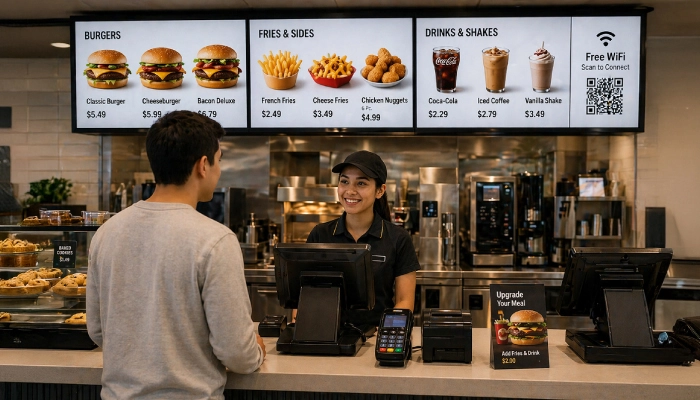
Replace printed menus with beautiful, dynamic screens that update prices, items, promotions, and daily specials in real-time; no printing costs, no delays.
- Update prices & menu items instantly
- Dynamic pricing via POS or Google Sheets
- Schedule breakfast, lunch & dinner menus
- Create digital menus in minutes
- Content syncing across all screens
- Support for video wall menu boards

Perfect for
Any food & beverage business looking to replace printed menus with dynamic, up-to-date digital menu screen.
How it works
Set up your first screen in minutes. No technical skills required.
Create your menu
Use the DsMenu app, MustHaveMenus, or connect a Google Sheet with your menu items, prices, and descriptions.
Design your layout
Choose from ready-made templates or build custom multi-zone layouts with images, videos, or tickers.
Schedule & publish
Set different menus for breakfast, lunch, and dinner. Schedule promotions for specific dates or recurring time slots.
Update in real-time
Change a price or item in the menu and it updates on every screen instantly. No printing, no delays.
Key features for menu boards
Everything you need to run professional digital menus.
Dynamic menus from Google Sheets
Connect a spreadsheet and your menu updates automatically across all screens.
Daypart scheduling
Show breakfast menus in the morning, lunch at noon, and dinner in the evening; all automated.
Multi-zone layouts
Split your screen to show the menu on one side and promotions, social feeds, or videos on the other.
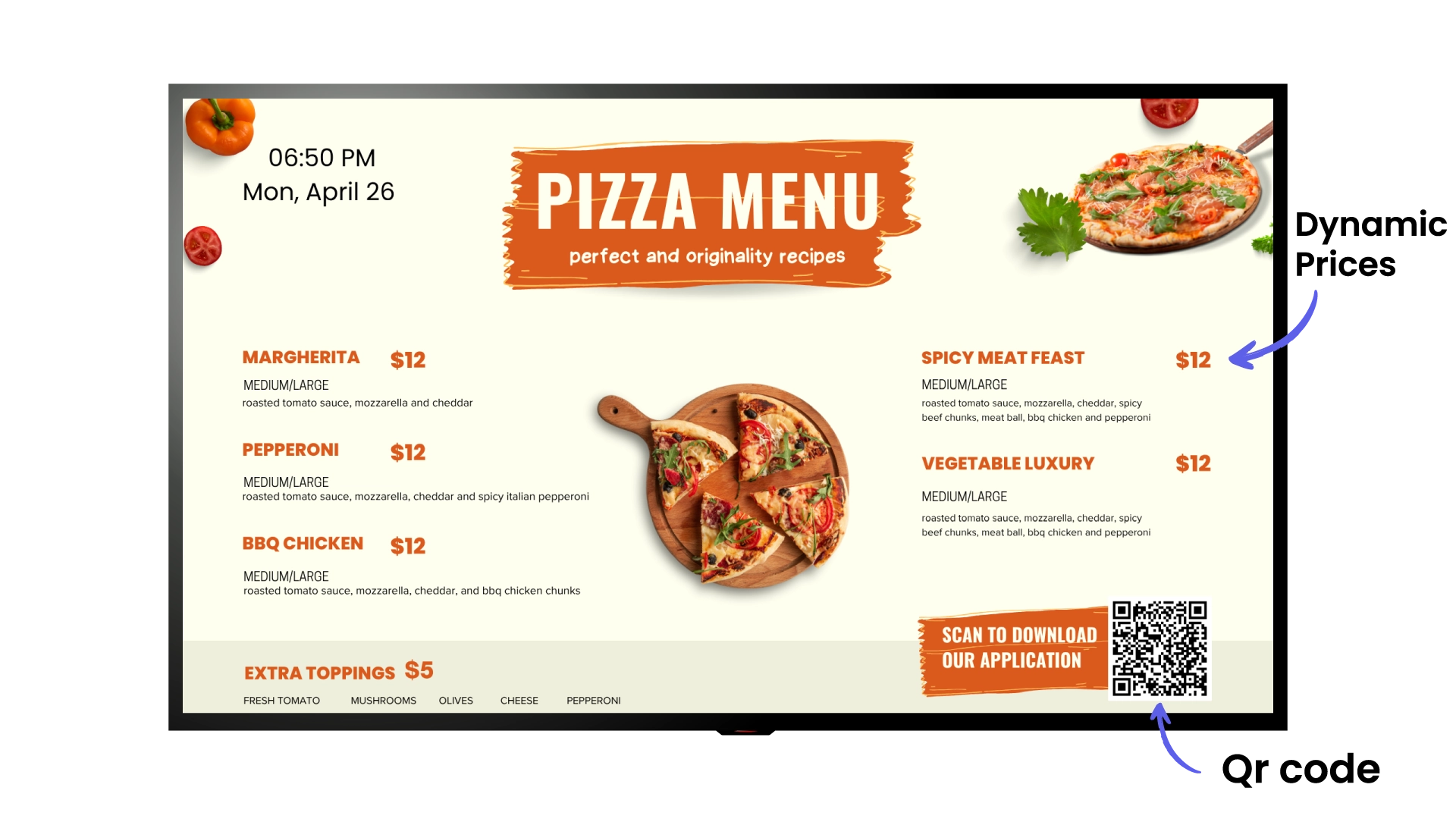
Dynamic pricing
Prices update automatically when integrated with your POS system or linked to a Google Sheet.
Real-time content syncing
Any change made in your content source syncs instantly across all your screens, keeping every display up to date.
Video wall menu boards
Span your menu across multiple screens in a video wall configuration for a bold, large-format display impact.
Eye-catching media
Add food photography, promotional videos, and animated content to make your menu irresistible.
Offline operation
Content downloads locally. If your internet drops, your menu keeps running without interruption.
Wi-Fi sharing via QR code
Display a QR code so customers can connect to your restaurant Wi-Fi by scanning the screen.
Recommended apps
These EasySignage apps work best for digital menu board.
Frequently asked questions
Ready to get started?
Set up your first digital menu board in under 10 minutes.
Start for Free — 1 Screen ForeverNo credit card required. FREE for 1 screen!