Digital Calendar Display
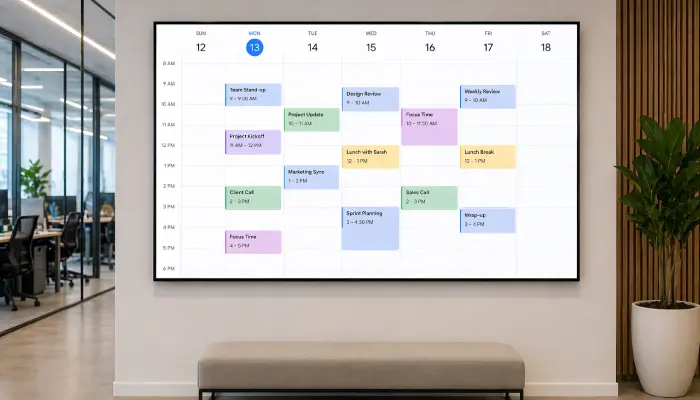
Show live team calendars, room schedules, and upcoming events on shared screens so everyone in the office stays informed and in sync.
- Live sync with Google & Outlook Calendar
- Daily, weekly, and monthly views
- Room and resource booking visibility
- Auto-updating, always current

Perfect for
Teams and offices that need shared visibility into schedules, meetings, and upcoming events.
How it works
Set up your first screen in minutes. No technical skills required.
Connect your calendar
Link Google Calendar or Outlook to EasySignage with just a few clicks. No technical setup needed.
Choose your display format
Select a daily, weekly, or monthly view to match your team's scheduling needs and screen size.
Add it to a screen
Publish the calendar display to any TV or monitor in your office. It updates automatically whenever events change.
Combine with other content
Mix your calendar with KPIs, company news, or announcements in a multi-zone layout on the same screen.
Why Use Digital Calendar Displays?
Shared calendar screens eliminate the need for staff to check their phones or computers, keeping everyone aligned on schedules and deadlines.
Google Calendar Sync
Pull live events and schedules from Google Calendar and display them on any screen, always up to date automatically.
Outlook Calendar Support
Fully compatible with Microsoft Outlook and Office 365 for organisations on the Microsoft ecosystem.
Multiple View Formats
Display calendars in daily agenda, weekly grid, or monthly overview format to suit your team's needs.
Combined with Other Content
Mix calendar views with company news, KPIs, or announcements in a multi-zone layout on the same screen.
No Manual Updates
Calendar screens update automatically when events are added, moved, or cancelled, zero maintenance required.
Recommended apps
These EasySignage apps work best for digital calendar display.
Frequently asked questions
Ready to get started?
Set up your first digital calendar display in under 10 minutes.
Start for Free — 1 Screen ForeverNo credit card required. FREE for 1 screen!