Screen rotation allows you to switch a display between horizontal and vertical layouts directly from EasySignage screen settings.
How to Rotate a Digital Signage Screen
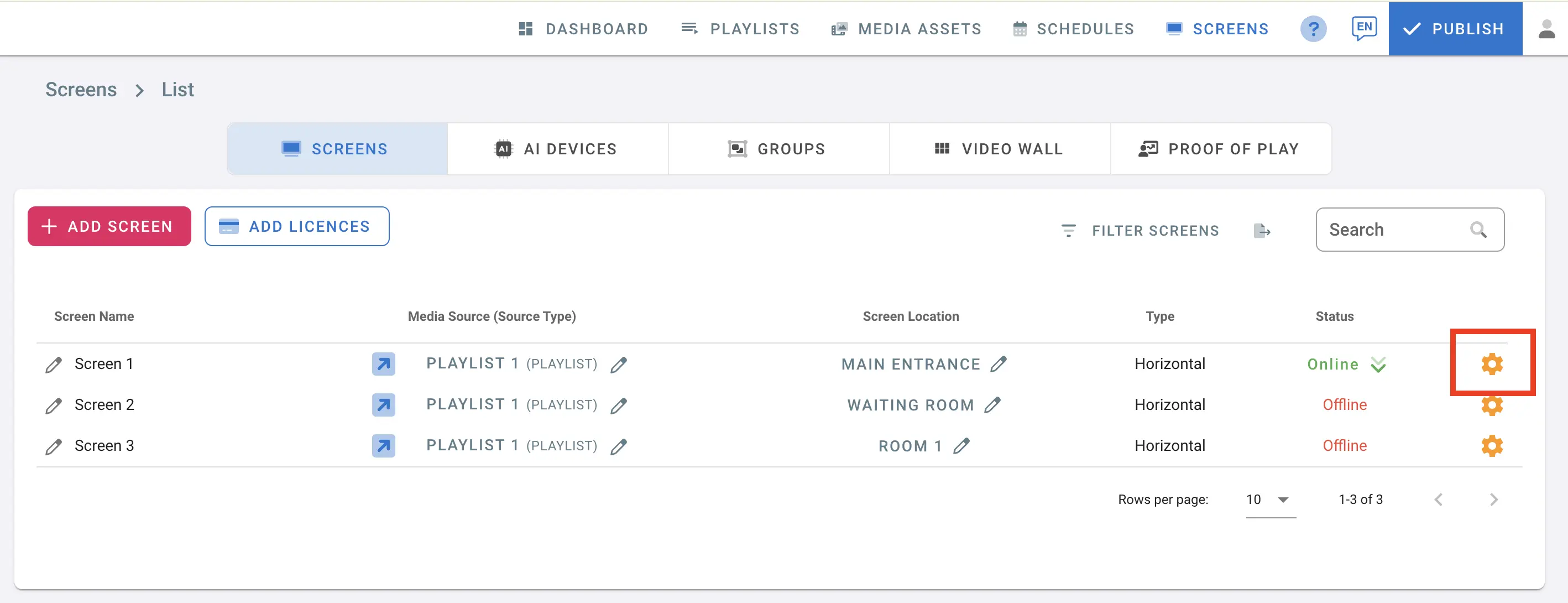
- Open the management console and navigate to Screens
- Click the settings button next to the screen name
- In screen details, click Rotate Screen
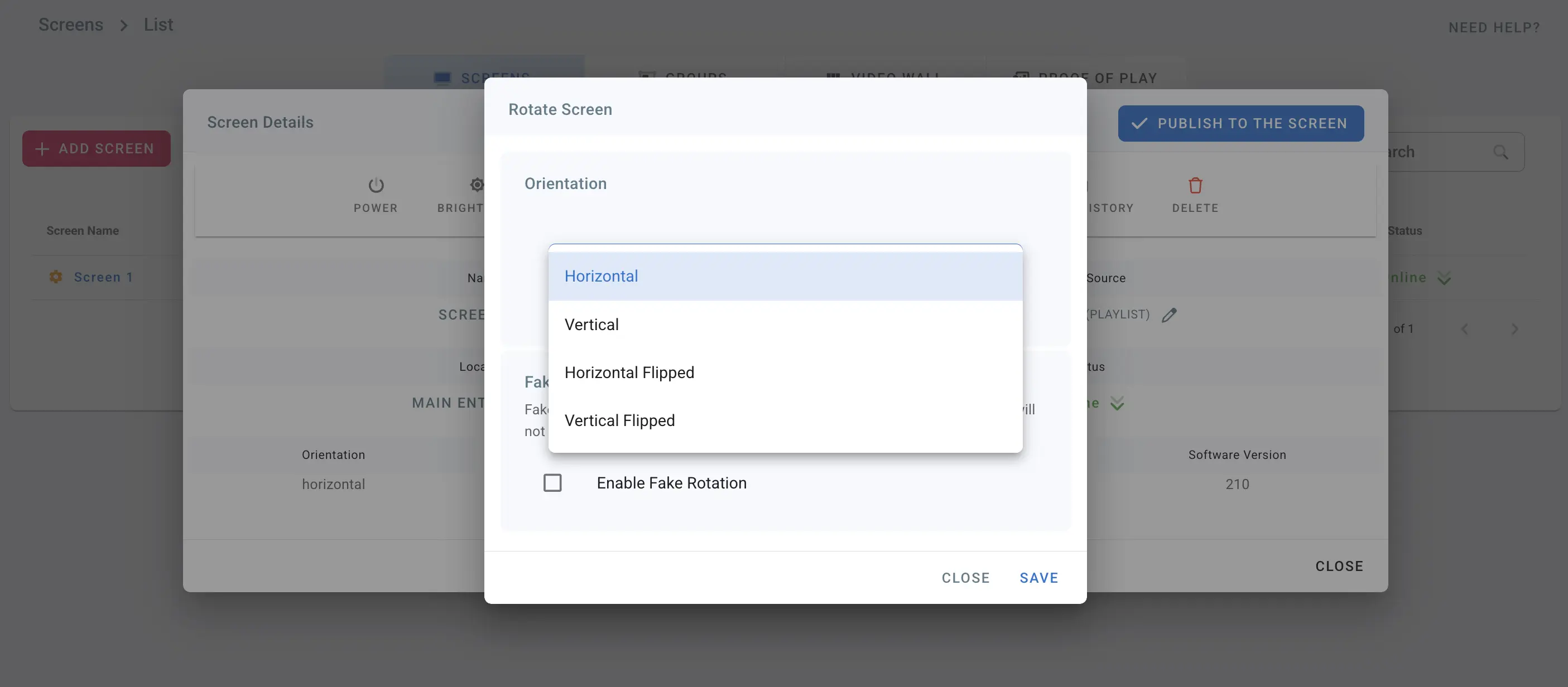
- Choose one of the supported orientations:
- Horizontal: 0 degrees
- Vertical: 90 degrees
- Horizontal Flipped: 180 degrees
- Vertical Flipped: 270 degrees
- Click Save
- The screen rotates to the selected orientation
- You can also enable fake rotation to report the opposite orientation without changing the physical display orientation
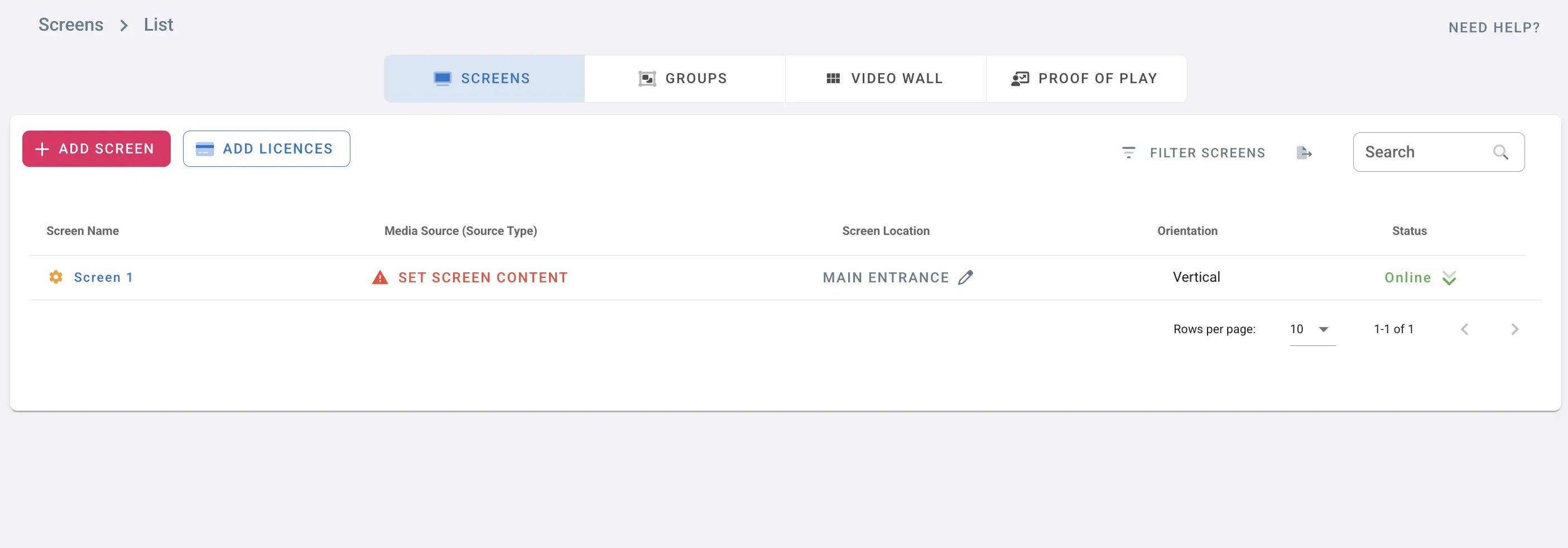
- After rotating to Vertical, the screen type changes to vertical
- The media source may be cleared because vertical playlists are different from horizontal playlists
- Click Set Screen Content and assign a matching playlist/channel/group/schedule
For Samsung Tizen Displays
If you need to change hardware display orientation and keep the original aspect ratio, follow the Samsung-specific steps:
Changing Display Rotation and Maintaining Original Aspect Ratio for Samsung Tizen Models