Learn how to manage your profile settings in your EasySignage account, including updating your profile and changing password.
How to manage profile settings
To access the Profile Settings, click on the profile icon in the top right corner. From the drop-down menu list, select Settings.
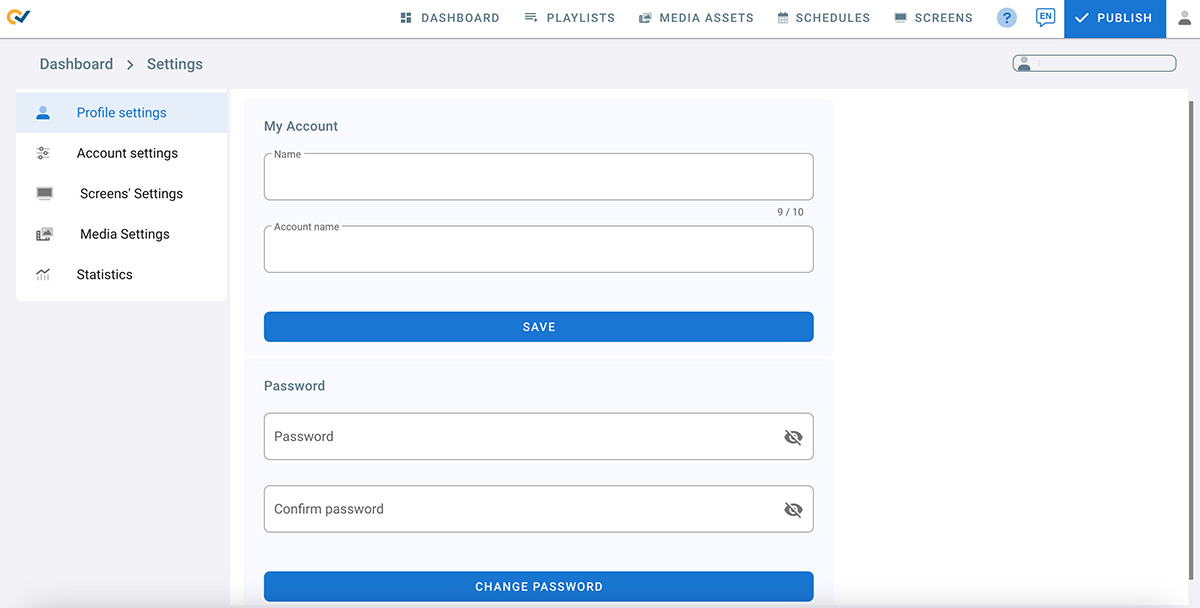
My Account
- Click on Profile Settings
- Name is the current user name
- Account Name is the account owner’s name
- Click SAVE to change the profile name and account name
Change Password
- Enter your new password
- Enter your current password
- Confirm you new password
- Click CHANGE PASSWORD
Two Factor Authentication
Refer to the page: Two Factor Authentication(MFA)