An API key lets your own systems read and update your signage over the EasySignage API. A key acts on one account with exactly the access you grant it, and you can delete it at any time.
Before you begin
- Your account needs API access, which is included with the Premium and Enterprise plans. On other plans the page shows a warning with an Upgrade button.
- Sign in to the account the key will act on. A key is bound to the account you are managing when you create it.
Create an API key
- Go to Settings > API Keys.
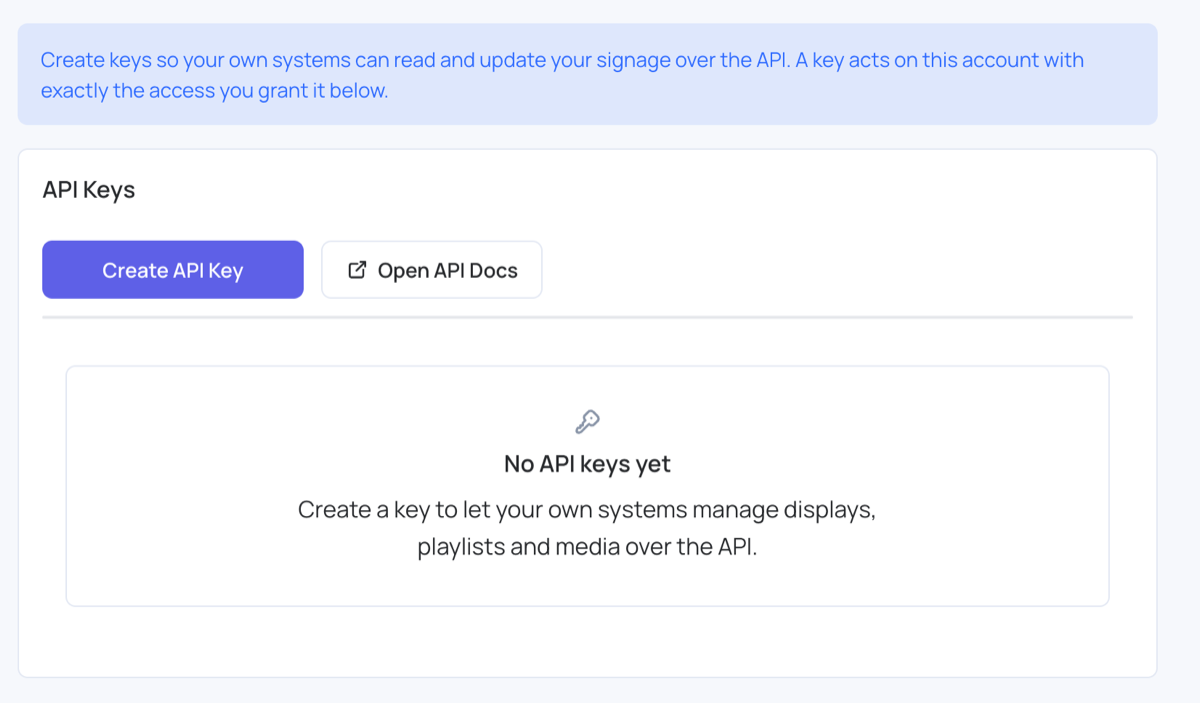
- Select Create API Key.
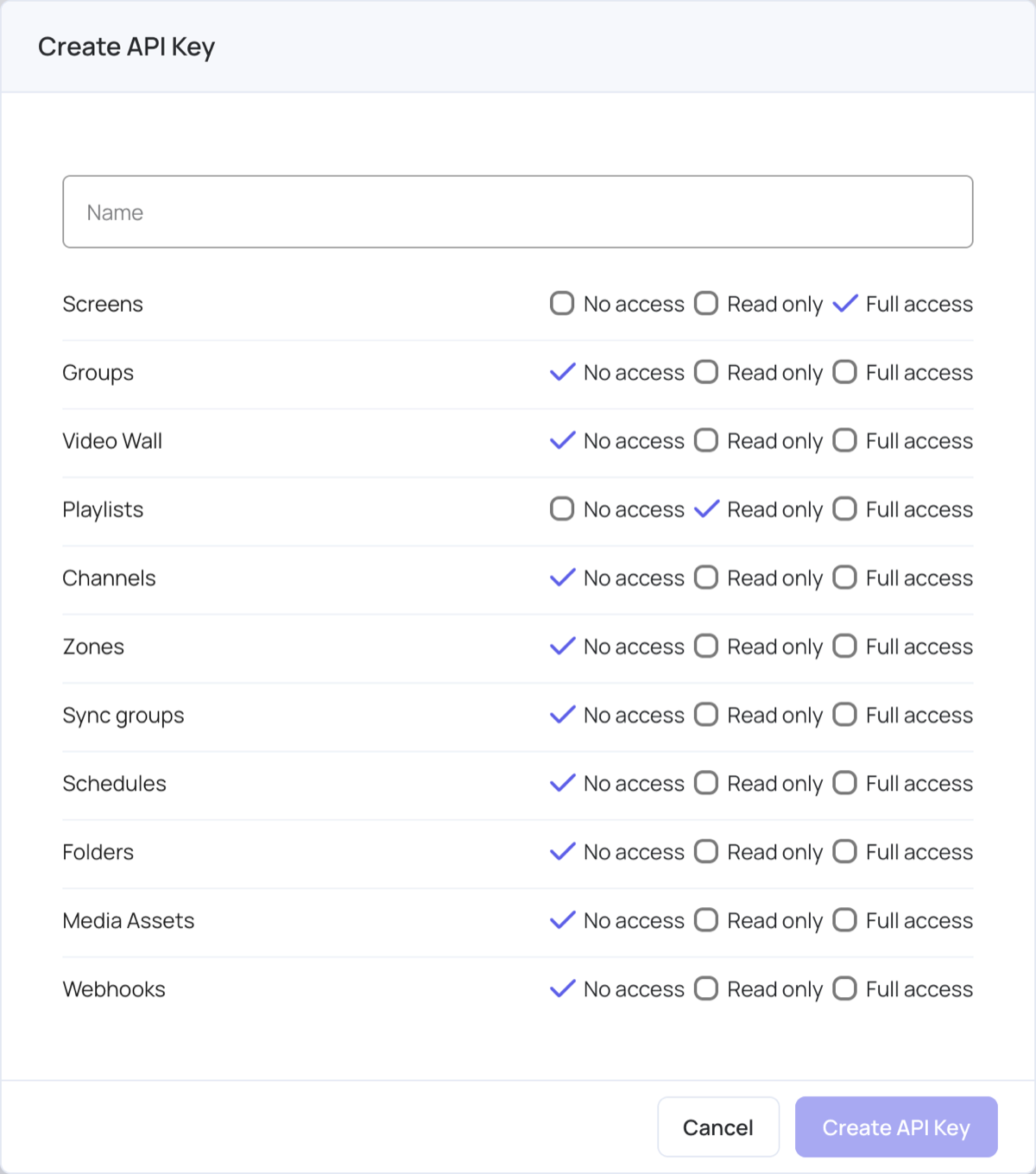
- Enter a Name that says what the key is for, for example the system that will use it.
- Set each area of your account to No access, Read only, or Full access.
- Select Create API Key.
- Copy the key.
Warning: The key is shown once and cannot be retrieved later. Copy it before you close the dialog. If you lose it, delete the key and create a new one.
Choose what a key can access
Each key carries its own permissions, set area by area:
- Screens
- Groups
- Video Wall
- Playlists
- Channels
- Zones
- Sync groups
- Schedules
- Folders
- Media Assets
- Webhooks: webhook subscriptions, which send data from your account to a URL. A read-only key can’t add one.
Each area is set to one of three levels:
| Level | What the key can do |
|---|---|
| No access | Nothing in that area |
| Read only | Read the area, make no changes |
| Full access | Read the area and make changes |
Grant at least one area. Create API Key stays unavailable while every area is set to No access. Give a key only the areas the system using it actually needs.
Authenticate a request
Send the key in an X-API-Key header:
X-API-Key: ds_api_...
The key resolves both the brand and the account on its own, so the X-Account and X-Domain headers are ignored on an API key request. A key cannot be pointed at a different account.
Open the API documentation
- Go to Settings > API Keys.
- Select Open API Docs.
The documentation opens in a new tab and signs you in automatically. It has no separate login, so open it from Settings > API Keys rather than bookmarking the page.
Review an existing key
- Go to Settings > API Keys.
- Select the view icon on the key.
Each key in the list shows a masked version of the credential, the areas it can reach, when it was created, and when it was last used. The details dialog also shows who created it. The full key is never shown again after it is created. A key that was revoked under an older version of the page shows a Revoked label; it no longer works and can be deleted.
Replace a key
There is no rotate action. To replace a key, create the new key first, move your systems across to it, then delete the old one. Creating the replacement first means nothing stops working while you switch over.
Delete a key
- Go to Settings > API Keys.
- Select the delete icon on the key.
- Confirm the deletion.
Warning: Deleting a key takes effect immediately and cannot be undone. Anything using that key stops working on its next request. The key’s details are kept in your account log.
Limits
- An account can hold up to 10 API keys.
- A key name can be up to 100 characters.
- At least one area must be granted before a key can be created.
Troubleshoot API keys
API access is only available on the Premium and Enterprise plans.
The account does not have API access. Check your plan on the pricing page or contact support.
You have reached the maximum number of API keys.
The account already holds 10 keys. Delete one you no longer use, then create the new key.
The key was created but could not be displayed. Delete it and create a new one.
The key exists but was never shown, so it cannot be used. Delete it and create a replacement.
Could not open the API docs. Please try again.
The sign-in link for the documentation could not be created. Try again, and reload the dashboard if it keeps failing.
A request returns 403
An API key request that fails any check answers
403with an empty body. An unknown key, an altered key, a deleted key, a permission the key was not granted, and an account without API access all look the same, on purpose, so the API cannot be used to discover which keys exist. Check that the key is still listed under Settings > API Keys, that the area you are calling is granted, and that the account still has API access.