NovaStar LED Display Player

- Overall Score


- Performance
-
- Automatic Software Update
- Power Management
- Remote reboot
- EasySignage Software
- Instructions
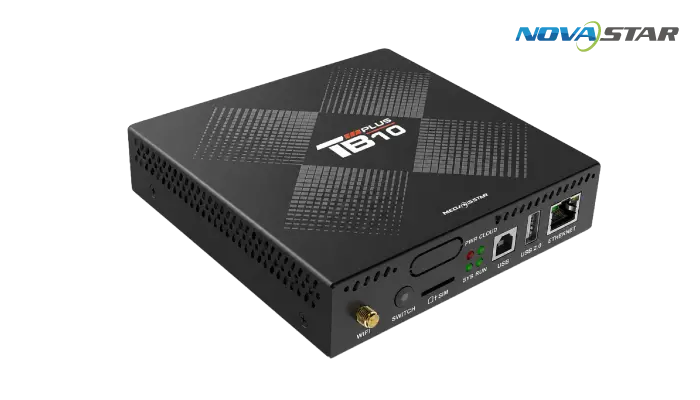
NovaStar is a leading manufacturer of LED display control systems and multimedia players. The Taurus and TU series multimedia players are purpose-built for LED signage deployments, from small indoor panels to large-scale outdoor LED walls.
EasySignage integrates with NovaStar multimedia players via the built-in Web Page widget in ViPlex Express, loading the EasySignage web player (dsplayer.io) directly onto the screen. Once set up, all content management happens from your EasySignage cloud dashboard, no need to reopen ViPlex Express for day-to-day updates.
Supported NovaStar Models
EasySignage supports the following NovaStar multimedia players:
Taurus Series: TB20 Plus, TB30, TB40, TB50, TB60
TU Series: TU15 Pro, TU20 Pro, TU40 Pro, TU4K Pro
Note: Standard NovaStar sending cards without a multimedia player are not supported. EasySignage requires a Taurus or TU series multimedia player.
Key Hardware Features
- 4K@60Hz video decoding: smooth playback of high-resolution content on large LED surfaces
- Quad-core processor: reliable performance for continuous 24/7 operation
- Wired and Wi-Fi connectivity: Ethernet, Wi-Fi, and 4G options depending on model
- HDMI cascading: supported on TB30, TB50, and TB60 for multi-display setups
- Multi-device synchronous playback: synchronise content across multiple panels
How It Works with EasySignage
Setup requires a one-time configuration in ViPlex Express:
- Create a playlist in ViPlex Express and add a Web Page widget pointing to
https://dsplayer.io - Publish the playlist to your NovaStar player
- The screen displays an EasySignage pairing code, enter it in your EasySignage dashboard
- Assign a playlist or schedule and start playback
After the initial setup, manage all your content, scheduling, and screen groups directly from app.easysignage.com.