Digital Signage for Restaurants: The Questions Owners Ask Most
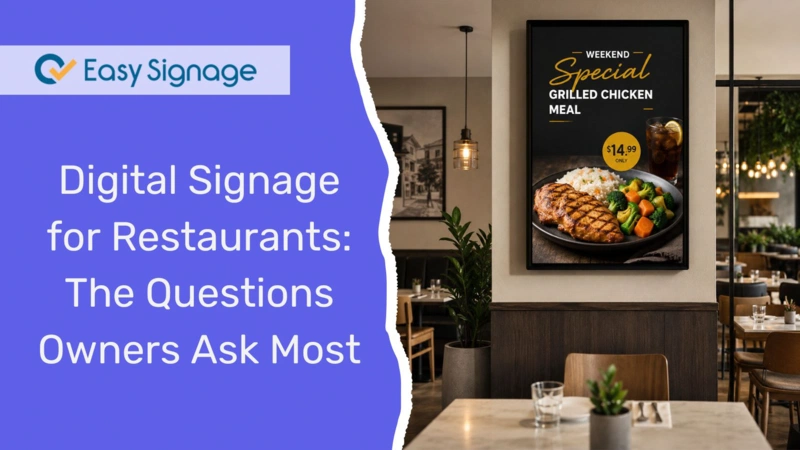
Thinking about putting screens in your restaurant but not sure where to start? You are not alone. Many owners have the same questions before they buy: is it worth the money, is it hard to set up, and will it actually help the business?
This guide answers the 15 most common questions restaurant owners ask about digital signage. The answers are short and clear, so you can decide quickly whether it is suitable for your restaurant.
Let’s start with the question almost everyone asks first.
Is it worth it? The “should I bother?” question
1. Is digital signage actually worth it for a small restaurant?
Yes, for most restaurants, it pays off. Digital signage helps you sell more, spend less on printing, and update your menu in seconds instead of waiting on a print shop.
You do not need to be a big chain to see the benefit. Even a single café can use a screen to display the menu, advertise specials, and promote add-ons at the counter. The screen does the selling while your staff focus on customer service.
The key is to maintain fresh, clear content. A screen that shows the same slide for months loses its effectiveness, while one that highlights daily specials or combo deals keeps customers interested and increases your average order value.
2. Is a digital menu board really cheaper than reprinting menus?
Over time, yes, digital menu boards become more cost-effective. Printed menus and posters cost money every single time you change a price, add a new item, or run a promotion. A digital menu board removes that repeat cost.
Digital signage requires only an initial investment, where you pay once for the screen and a small monthly software fee. After that, every update is free and immediate, eliminating design and printing expenses.
For a restaurant that often changes prices or specials, these savings add up fast. Many owners find the transition pays for itself within the first year.
3. How much does digital signage cost to get started?
Less than most people expect. To begin, you need three essentials: a screen, a media player, and signage software.
- Screen: You can use a TV you already have. A 43"–55" screen is ideal for most restaurants.
- Media player: A small device that connects to the screen, especially if your existing screen isn’t compatible with the software. Affordable Android players work well.
- Software: Cloud-based software manages everything. EasySignage is free for your first screen, so you can test it before any investment.
That means you can get your first screen live at very low cost and scale up only when you are ready.
Read the complete guide on the cost of digital signage at “How Much Does Digital Signage Cost”.
How does it work? The setup questions
4. Do I need technical skills to set up digital signage?
No, you don’t need technical skills to set it up. Modern digital signage is designed for busy owners, not IT teams. If you can use a phone or a browser, you can manage it easily.
Simply plug the media player into your screen, connect it to Wi-Fi, and log in to your online dashboard. From there, you design your menu, schedule content, and make updates from any device. Ready-made templates mean you do not need design skills either.
5. Can I use a normal TV, or do I need a special screen?
A standard TV usually works fine for most restaurants. You connect a small media player to the TV’s HDMI port, and it handles the rest.
However, consider these tips:
- For screens that run all day, a commercial-grade display lasts longer than a home TV.
- For outdoor or drive-thru applications, choose a weatherproof, high-brightness screen to ensure visibility in sunlight.
- Some Samsung, LG, and Android TVs can run signage software directly, so you may not need a separate player at all.
For more details, you can read more in our guide on how to set up digital signage.
6. Do I need a media player for every screen?
Typically, yes, one player runs one screen. But this also depends on whether your screens should show the same content or different content. The player is the small device that plugs into your TV and runs the signage software.
If you want each screen to show different content, you need one player per screen. If a player has multiple HDMI outputs, it can run several screens at once, but they will all show the same content. So one player can cover a row of identical menu boards, while separate players let you display a different menu or promotion on each screen.
There is also an easy exception: some Samsung, LG, and Android displays can run the software directly, with no separate player needed. If you buy one of those, you save on hardware and setup is even simpler.
7. How do I update my menu prices and items without calling anyone?
You update everything yourself, in seconds, from your dashboard. There is no need to call a designer or a support team.
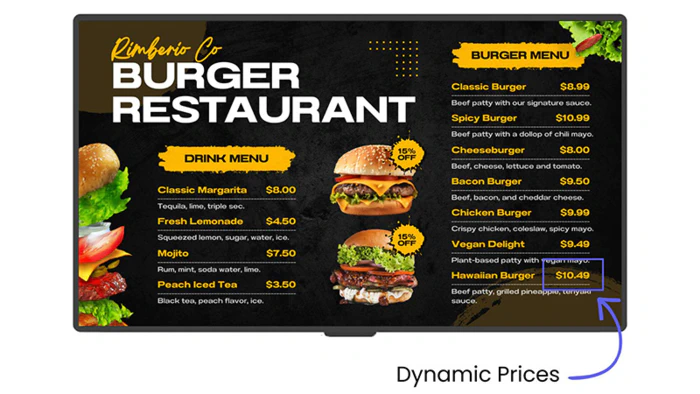
Simply log in to the content management system CMS from your computer or phone, change the price or item, publish, and the screen updates automatically. If you need to remove a sold-out dish or fix a price at lunchtime, it takes a few clicks, and the change appears right away.
8. Can I keep my menu on Google Sheets and have the screen update automatically?
Yes. This is one of the easiest ways to manage a menu that changes often.
With the Google Sheets integration, you keep your menu items and prices in a simple spreadsheet. When you edit the sheet, the updates are reflected on your screens automatically. No need to log in or redesign, just change the number and the board follows.
This is especially useful if multiple staff members manage pricing, or if you frequently change daily specials.
Running it day-to-day: the “now what” questions
9. What should I show on my screens besides the menu?
Plenty. Your screens can display much more than just the menu.
Here are some effective content ideas:
- Combo deals and upsells to increase average order
- Limited-time offers and daily specials
- Loyalty programs and customer reviews to build trust
- Allergen and dietary information alongside dishes
- A Wi-Fi QR code so customers can connect easily
- Short videos of signature dishes being prepared
Need more inspiration? Check our list of digital signage content ideas.
10. How do I schedule different menus for breakfast, lunch, and dinner?
You set it once, and it switches automatically. This is known as dayparting, and it saves you from manual screen changes.
Create breakfast, lunch, and dinner menus, then schedule their display times. At the set time, the screen will automatically switch from the morning coffee menu to the lunch board without any manual intervention.
Read more on How to Schedule Food Menus on Digital Signage.
11. Will my screens continue to work if the internet goes down?
Yes. Your content is stored on the media player, not just online. If your Wi-Fi connection drops, the screen will keep playing the last content it received.
When the connection comes back, the player will automatically sync any new updates. So a brief outage won’t leave you with a blank screen during busy service times.
Read more on EasySignage Offline Operation Feature.
12. How often should I update my restaurant screens?
Update prices and specials as soon as they change. For all other content, a refresh at least once a month keeps your screens engaging.
Screens displaying the same content for too long fade into the background, and customers stop noticing them. By introducing a new promotion, a seasonal dish, or a fresh photo from time to time, you can keep customers’ attention and ensure the screen continues to work effectively for you.
13. How do I manage screens across multiple locations?
From one dashboard, wherever you are. You do not need to visit each site or email managers to make changes.
You log in once and see every screen across every location. You can update an individual location, a group of locations, or all of them at the same time. Whether you operate two cafés or twenty, it works the same way, making growth far easier.
14. Can staff update local specials without compromising the branding?
Yes, with the right access settings. You have control over who makes changes.
You can lock in access to settings and layouts, while still allowing local staff to update their own specials or announcements. This way, the head office can keep the brand uniform, and each location has the freedom to promote what matters to them. Neither party interferes with the other’s responsibilities.
Read more on how to manage teams and users.
15. Is my signage system secure enough to be on my restaurant’s network?
Yes, when you use a trusted cloud platform. Quality signage software is built with security in mind.
EasySignage operates on the Google Cloud Platform, the same infrastructure that powers Gmail and YouTube. It offers enterprise-grade security, automatic backups, and 99.9% uptime. The content is encrypted, and the player communicates with the backend through a secure encrypted channel, helping protect data in transit between the screen and the cloud platform.
Ready to try it in your restaurant?
Digital signage does not have to be expensive or complicated. With the right software, you can have your first screen live today, showing your menu, promoting specials, and helping you sell more.
Start free with EasySignage; one screen is on us, no credit card needed.