Point of Purchase (POP) Digital Signage: What It Is and How It Drives Sales
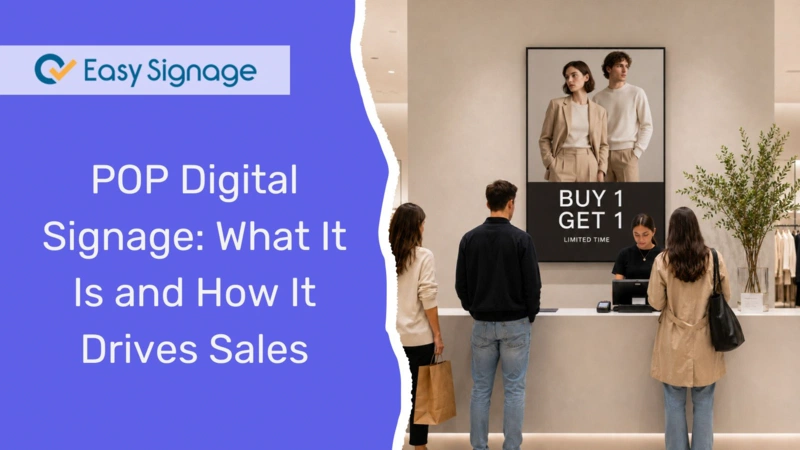
Most buying decisions are made inside the store, not before the customer walks in. Point-of-purchase (POP) digital signage places the right message in front of shoppers at the exact moment they decide what to buy. It replaces static cardboard displays and printed posters with dynamic screens that can show promotions, product videos, and real-time offers, all of which can be updated remotely without printing a single flyer.
In this guide, you will learn what POP digital signage is, how it differs from traditional POP displays and point-of-sale signage, where to place screens for maximum impact, what type of content works best, and how to set up your own POP digital signage using a cloud-based platform like EasySignage.
What Is POP Digital Signage?
POP digital signage is an electronic display placed at or near a point of purchase to influence consumer buying decisions. The point of purchase can be any area within a store where customers can buy products, including aisles, end caps, shelf edges, product demonstration areas, store entrances, and checkout counters.
Unlike traditional point-of-purchase displays, such as cardboard stands, printed shelf talkers, or static posters, digital POP signage uses screens to show dynamic content like videos, animated promotions, rotating product highlights, and time-sensitive offers. The content is managed through a cloud-based content management system (CMS) such as EasySignage, so you can update the display content remotely without visiting the store.
The primary goal of POP digital signage is to capture the shopper’s attention at the moment of decision and encourage them to make a purchase. Whether it is a screen on a shelf showing a product demo, a display at the end of an aisle promoting a seasonal deal, or a checkout counter screen suggesting last-minute add-ons, POP digital signage effectively engages customers where purchasing decisions are made.
POP vs POS: What Is the Difference?
The terms POP and POS are often confused, but they refer to different zones in a store.
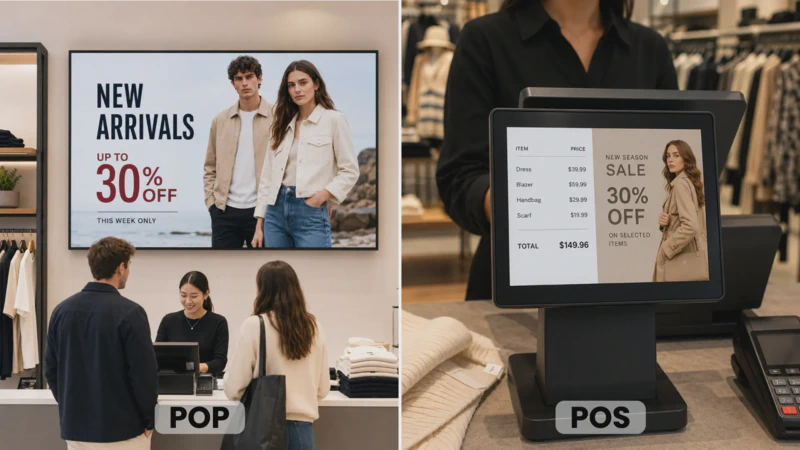
Point of purchase (POP) refers to any location where a customer can make a buying decision. This includes the entire store, aisles, entrances, product displays, end caps, and the checkout area.
Point of sale (POS) refers specifically to the checkout zone where the transaction happens, such as the counter, the register, or the payment terminal area.
Every POS display is technically a POP display because it sits in a location where purchase decisions happen. But not every POP display is a POS display, because many are placed in aisles or near products far from the checkout area. When planning your digital signage strategy, think of POP as the broader category covering the entire shopper journey, while POS represents a specific high-value zone within that journey.
Why POP Digital Signage is Effective
Traditional point of Purchase (POP) displays like printed signs and cardboard stands work well for simple and long-running campaigns. But they have clear limitations: they are expensive to replace, time-consuming to update, and they present the same message to every customer regardless of the time of day or the audience in the store.
Digital POP signage solves these challenges and adds new advantages.
Screens Attract More Attention Than Static Signs
Moving content naturally captures attention. Screens displaying videos, animations, or rotating promotions stand out against the visual noise of a busy retail environment. Research consistently shows that digital displays capture significantly more attention than static ones, making them more effective at stopping shoppers mid-aisle and getting them to engage with a product.
It Encourages Impulse Purchases
A large percentage of buying decisions are made in-store rather than at home. Shoppers are more likely to add unplanned items to their baskets when they encounter well-timed promotions on screens, limited-time offers displayed near products, or product videos at the shelf edge. Digital signage is effective for items like snacks, beverages, beauty products, and seasonal goods, which are categories where impulse buying is common.
Content Updates Happen Instantly
With a cloud-based CMS like EasySignage, you can update what your screens show from anywhere, at any time. Running a flash sale? Change the screens in seconds. Have a product that is sold out? Swap the promotion automatically. This level of speed is impossible with printed materials, which can take days to design, print, and distribute across stores.
Schedule Your Content by Time of Day
Not every message should run all day. Morning shoppers have different needs compared to evening shoppers. With content scheduling, you can automatically rotate promotions based on the time of day, day of the week, or a specific date range. For example, you can display a coffee promotion in the morning, a lunch deal at midday, and an evening snack special later, all without manual changes.
Consistency Across Multiple Locations
Managing point-of-purchase (POP) displays can be challenging when you operate multiple stores. Cloud-based digital signage allows you to simultaneously push the same content to all locations or target specific stores with localised promotions. EasySignage’s geolocation feature lets you define virtual zones and automatically deliver location-specific content.
Where to Place POP Digital Signage in Your Store
Placement is everything. A great promotion on a screen that nobody sees is wasted. Here are the highest-impact locations for POP digital signage.
Store Entrances
Screens positioned near the entrance help set the tone for the shopping experience. Use them to welcome customers, highlight daily deals, announce new arrivals, or promote current sales events. This encourages shoppers to look for those items as they walk through the store.
Aisle End Caps
End-of-aisle displays are prime retail locations. A screen on an end cap can feature a promoted product, play a short video on how to use it, or display a bundle deal. End caps are especially effective for cross-category promotions, like pairing pasta with sauce or shampoo with conditioner.
Shelf Edge
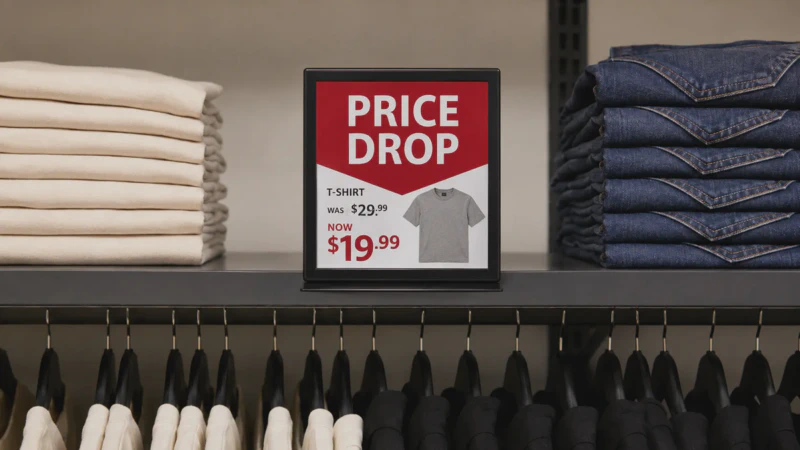
Smaller screens mounted on or near shelves put the promotion right next to the product. These screens work well for highlighting price drops, new arrivals, or product comparisons. Since the screen is at eye level and next to the item, the path from seeing the message to picking up the product is almost instant.
Checkout Area
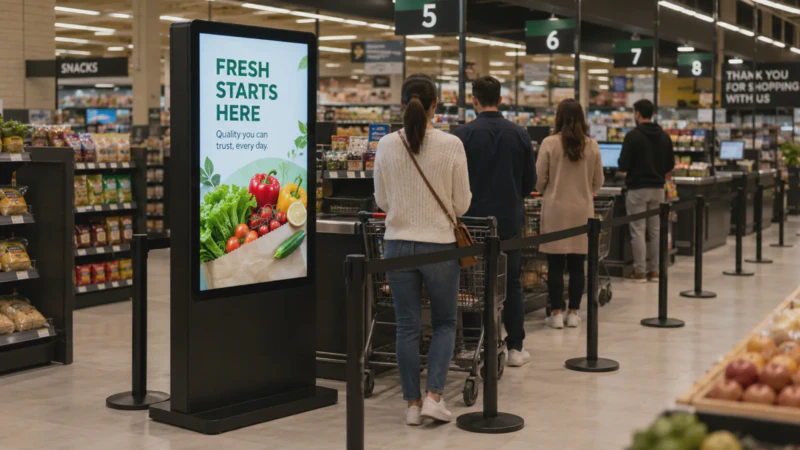
The checkout area is the last chance to influence a purchase. Screens in this space can promote small, low-cost add-on items, advertise loyalty programmes, display QR codes for discounts on the next visit, or simply entertain customers while they wait. Digital signage at the checkout can also reduce the perceived wait time, keeping customers happier while they are in the queue.
Over-the-Top Counter Display
One popular format for retail promotions is the over-the-top counter display, a compact screen that sits on a shelf, counter, or stand right above or beside the checkout area, facing the customer. Many of these displays are touchscreen-enabled, letting customers browse product catalogues, explore loyalty rewards, or scan QR codes while they wait in line. Because they are placed at eye level in a location where customers are already standing still, they are ideal for promoting last-minute add-ons, upsells, and time-limited offers.
With EasySignage’s touchscreen signage support, you can easily turn any compatible counter display into an interactive kiosk experience with no coding required.
POS Customer-Facing Marketing Screen
Another effective checkout format is the POS customer-facing display, which is a secondary screen connected to or placed alongside your point of sale terminal. During a transaction, this screen shows the customer their live order details, item prices, and total amount, which builds transparency and trust. When no transaction is in progress, the screen switches to idle mode and plays promotional content: advertisements, daily specials, loyalty programme sign-ups, or upcoming sale announcements.
This dual-purpose approach means the screen is always in use, either supporting the checkout process or delivering marketing messages during downtime.
With a cloud-based CMS like EasySignage, you can manage and schedule the promotional content that plays during idle periods, keeping the screen relevant and up to date without any manual effort at the register.
Product Demo Areas
If your store has space for product demonstrations or sampling stations, consider placing a digital screen nearby to provide additional context. The screen can loop a product demo video, display ingredients or features, show customer reviews, or explain how the product compares to alternatives.
Window Displays
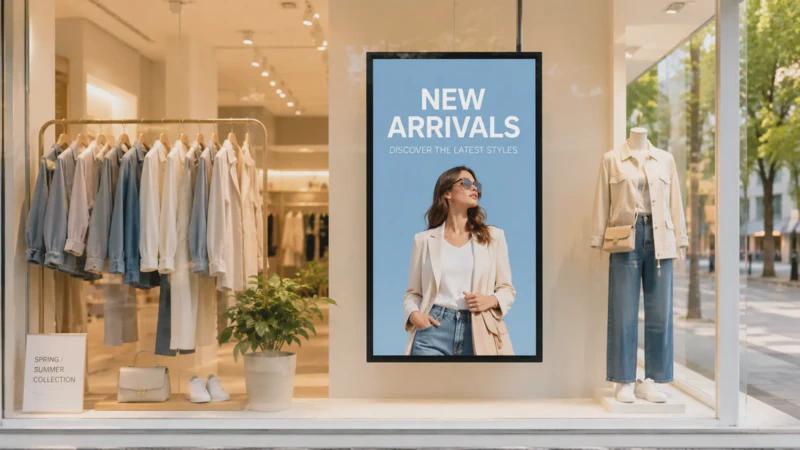
For stores with street-facing windows, a high-brightness screen can attract foot traffic. Use it to promote sales, new collections, or seasonal events to people passing by outside, helping to convert window shoppers into actual customers.
What Content Works Best on POP Digital Signage
The right screen in the right location still needs the right content. Here are proven content types for POP digital signage.
Promotions and Special Offers
This is the most common and effective use case. Display current discounts, buy-one-get-one deals, limited-time offers, or bundle deals. Keep the message short and the visual bold. A clear call to action like “Today Only” or “Save 20%” to create a sense of urgency.
Product Videos and Demos
A short video showing a product in action is more persuasive than a photo. This works particularly well for electronics, kitchen appliances, beauty products, and items that benefit from a visual explanation. Keep videos under 30 seconds for maximum impact.
Customer Reviews and Social Proof
Display real customer reviews or ratings on the screen to build trust at the point of decision. When a shopper sees that others have rated a product highly, they are more likely to buy it. You can showcase social media mentions, star ratings, or short testimonial quotes.
QR Codes for Extended Engagement
Add a QR code to your screen so customers can scan it and access more product details, sign up for a loyalty programme, claim a digital coupon, or browse your online catalogue. This bridges the gap between the in-store screen and the customer’s phone.
Seasonal and Event-Based Content
Connect your point-of-purchase (POP) displays to seasonal themes, holidays, or local events. For example, you can create back-to-school promotions in August, Christmas gift guides in December, or a local sports event tie-in. This ensures that your screens feel timely and relevant.
Upsell and Cross-Sell Suggestions
Place screens near products to promote complementary items. Near the coffee beans? Use the screen to showcase coffee filters and mugs. Next to a laptop? Display a deal on laptop bags and accessories. This strategy helps increase the average basket value without requiring staff intervention to suggest additional products.
Static POP Displays vs. Digital POP Signage
Both types of displays have a role in retail, but they serve different purposes.
Static POP displays (printed posters, cardboard stands, shelf talkers) are affordable upfront and work well for permanent fixtures or very long-running campaigns. They need no power, no software, and no internet connection. However, they are slow to update, expensive to reprint, and show the same message to every customer at all times of the day.
Digital POP signage has a higher initial cost because it requires a screen, a media player, and signage software. However, it eliminates ongoing printing costs, can be updated instantly from anywhere, supports video and animation, and offers time-based or audience-based content targeting. Over time, digital POP signage proves to be more cost-effective for stores that frequently run promotions or manage multiple locations.
For most retailers, the best strategy is a mix: static displays for permanent branding and wayfinding, and digital screens for promotions, seasonal content, and high-traffic zones where dynamic content makes a significant impact.
Read more about How Smart Screens Are Replacing Static Displays.
POP Digital Signage Ideas by Retail Type
Different types of stores can benefit from different point-of-purchase (POP) strategies. Here are a few examples.
Grocery Stores: Promote weekly specials at end caps, display recipe ideas near the relevant ingredients, and use checkout screens for small add-on items and loyalty program sign-ups.
Fashion and Apparel Stores: Show outfit inspiration videos near merchandise displays, promote seasonal collections at store entrances, and use fitting room screens to suggest accessories.
Electronics Stores: Play product demo videos at the shelf edge, display specs and comparisons, and promote extended warranties at the checkout.
Pharmacies and Health Stores: Highlight health tips alongside promoted products, display seasonal wellness advice, and show QR codes for more product information.
Convenience Stores: Use counter screens for snack and beverage upsells, display daily deals near the entrance, and promote loyalty apps at checkout.
Frequently Asked Questions
What is POP digital signage?
POP digital signage refers to digital screens located at or near points of purchase in a store to display promotions, product information, videos, and other content to influence buying decisions. POP digital signage replaces or enhances traditional printed point-of-purchase POP displays with dynamic, easily updatable screens.
What is the difference between POP and POS signage?
POP (point of purchase) covers any location in a store where a customer can make a buying decision, including aisles, end caps, and entrances. POS (point of sale) refers specifically to the checkout area. POS is a subset of POP.
Does POP digital signage increase sales?
Yes. Research consistently shows that in-store digital signage drives measurable sales increases. Well-placed screens enhance product visibility, encourage impulse purchases, and allow retailers to effectively promote time-sensitive offers.
What equipment do I need for POP digital signage?
To set up a POP digital signage, you’ll need a screen (TV, monitor, or commercial display), a media player (or a display with a built-in player), an internet connection, and digital signage software like EasySignage. Many affordable setups can start with an Android media player or an Amazon Fire TV Stick.
How to DIY an Affordable and Easy Digital Signage Guide
Can I manage POP screens across multiple store locations?
Yes. Cloud-based platforms like EasySignage allow you to manage and update screens across all your locations from a single dashboard. You can push the same content everywhere or target specific stores with localised promotions.
How much does POP digital signage cost?
Costs can vary depending on your hardware choices. Screens and media players may start from as little as $100 to $200 per location. EasySignage offers a free plan for one screen, and paid plans start from $8.25 per screen per month. This is significantly more affordable than the ongoing costs of reprinting static POP materials.
Read more on How Much Does Digital Signage Cost.
What content should I display on a POP screen?
Effective POP content includes product promotions, demo videos, customer reviews, QR codes, bundle offers, seasonal campaigns, and upsell or cross-sell suggestions. Keep content short, visually engaging, and relevant to the products nearby.
Start Using POP Digital Signage Today
POP digital signage is one of the most effective ways to influence buying decisions at the moment that matters most, when customers are already in your store, standing near the product, and ready to decide.
With EasySignage, you can set up your first POP screen in minutes. Create content with ready-made templates or Canva, schedule it by time of day, manage every screen from one dashboard, and update promotions instantly; no printing, no waiting, no store visits required.
👉 Sign up for free and get your first screen live today. No credit card is required.