Digital Signage for Corporate Offices: A Practical Guide
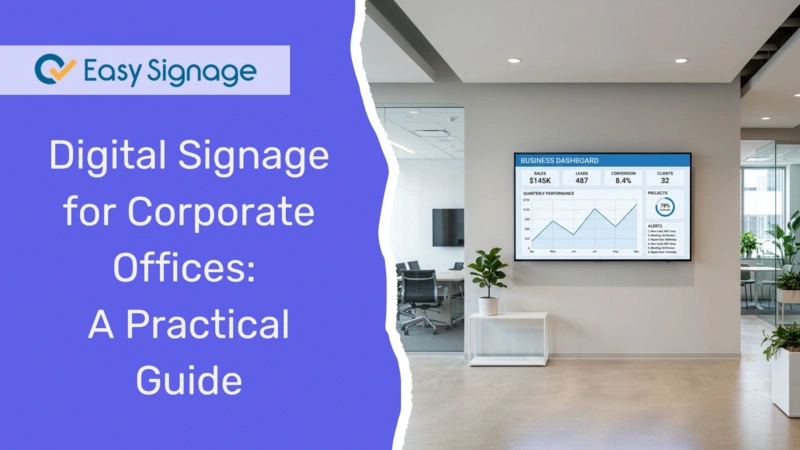
Digital signage for corporate offices uses screens to share company news, key performance indicators (KPIs) , meeting room status , and team updates in real time. It replaces emails and printed notices that employees often miss, keeping everyone informed across all floors, departments, and locations from one dashboard.
If your office still depends on email blasts, paper notices, and double-booked meeting rooms, this guide is for you. Below, you will learn what workplace digital signage is, why it is effective, the most useful screen ideas for offices, and how to set it up in a few minutes.
What Is Digital Signage for Corporate Offices?
Digital signage for corporate offices consists of a network of screens that display various types of digital content like announcements, dashboards, and schedules across your workplace. Content is managed remotely using a web browser and updated instantly, so no one has to print, post, or physically change the information on the screens.
In an office environment, these screens are usually located in:
- Reception and lobby areas
- Break rooms and kitchens
- Hallways and common spaces
- Outside meeting rooms
- Open-plan workspaces and team floors
Unlike static posters, digital signage provides dynamic displays that always show the most current information.
Why Use Digital Signage in the Workplace?
Offices run on communication. When that communication is scattered across inboxes and noticeboards, important messages can get lost. Workplace digital signage fixes this issue by presenting the right information directly in front of employees where they already are.
Here are the main benefits of implementing digital signage:
Reach everyone, not just inbox users: Screens placed in shared spaces can effectively reach staff who don’t work at desks all day, including those in warehouses, on the floor, and on-site teams.
Cut through email overload: A screen in the break room gets noticed without adding to an already full inbox.
Keep teams aligned: Displaying live KPIs and company goals helps everyone see how the organisation is performing.
Build company culture: Highlighting birthdays, work anniversaries, and team wins boosts morale and fosters connection among employees.
Save time: Update a single dashboard, and every screen changes at once; no reprinting or re-sending materials.
React fast: Send urgent alerts, like safety notices or schedule changes, to all screens instantly.
Best Digital Signage Ideas for Corporate Offices
Not sure what to put on your office screens? Here are the most effective use cases for the workplace.
1. Employee Communication Boards
Use screens in break rooms, hallways, and on office floors to share company news, announcements, HR updates, and policy notices. This is the core of office signage; it keeps every employee informed without depending on email.
You can organise screens by department or location, so different teams can see relevant company news specific to their needs.
Learn more about employee communication boards.
2. Live KPI and Performance Dashboards
Display real-time sales figures, production statistics, and business metrics by embedding dashboards from tools your team is already using.
With EasySignage, you can display live data from Power BI , Looker Studio , Tableau , and Geckoboard directly on screen. Teams can stay focused on their goals when they can easily see their progress at a glance.
Explore KPI dashboards.
3. Meeting Room Displays
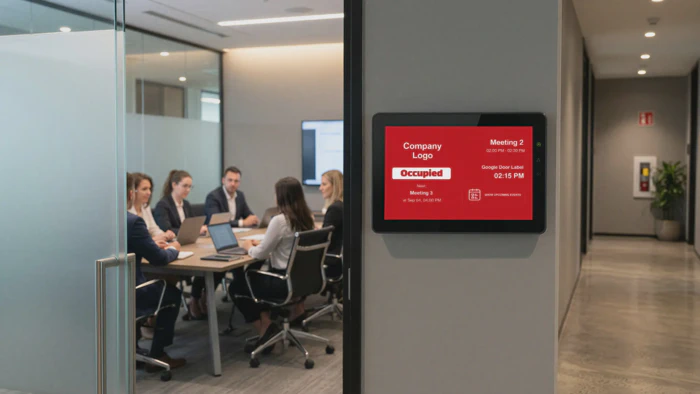
Install a small screen outside each meeting room to show whether it’s available or booked, along with the current and upcoming meetings. EasySignage seamlessly syncs with Google Calendar and Outlook, so bookings are updated automatically. A simple green/red indicator ends the door-knocking and double-booking problem.
See how the meeting room displays work.
4. Lobby and Welcome Screens
Make a strong first impression with reception screens that greet visitors by name, display your branding, and share company highlights. This sets a professional tone the moment someone walks in.
5. Digital Calendars and Schedules
Display team calendars, event reminders, and important dates in shared areas so everyone stays on the same page. This is useful for recurring meetings, deadlines, and company events.
Explore Digital Calendar Displays.
6. Safety and Compliance Notices
Send safety alerts, compliance reminders, and emergency instructions to the right screens instantly. In a workplace setting, delivering urgent messages rapidly matters, and screens do it faster than email.
7. Team Celebrations and New Employee Welcomes
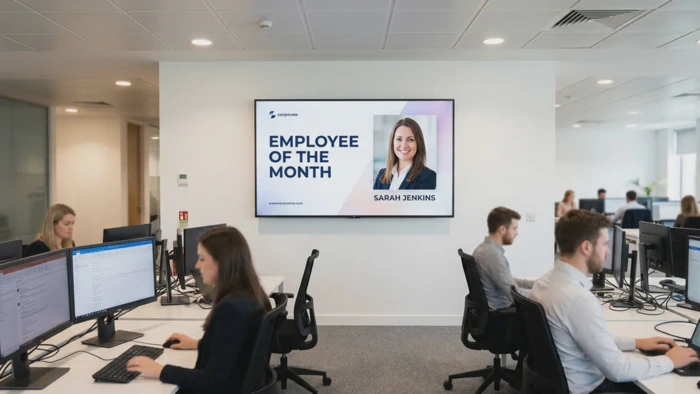
Use your screens to build culture, not just share information. Highlight employee birthdays, work anniversaries, and team milestones to make employees feel recognised.
You can also welcome new hires with a friendly message and photo on their first day, a small touch that helps them feel part of the team straight away. These moments of internal communication strengthen morale and connection across every location.
Easily design branded celebration screens using the Canva app.
What to Show on Office Digital Signage Screens
A good rule is to mix practical information with content that builds culture. A balanced office screen might rotate through:
- Company announcements and news
- Live KPIs and team performance
- Employee birthdays and milestones
- Welcome messages for visitors
- Health, safety, and policy reminders
- A scrolling news ticker for quick updates
- Weather, time, and local info
The EasySignage News Ticker app is handy here. It scrolls live announcements across the bottom of any screen while your main content plays above it.
How to Set Up Digital Signage in Your Office
Getting started with digital signage is simpler than most people expect. With EasySignage, you can have your first screen live in minutes; no IT team required.
Follow these steps:
Connect a screen: Install EasySignage on any supported screen or device . It works with Android, Samsung Tizen, and LG webOS displays, so there’s no need for expensive proprietary hardware.
Create your content: Use the drag-and-drop editor and ready-made templates, or pull in content from apps like Canva, Google Slides, Notion, Power BI, and Google Calendar.
Assign content to screens: Organise screens by floor, team, or location and send the right content to each group.
Publish and update remotely: Push content live with one click, schedule it in advance, or make updates anytime from any browser.
For a full walkthrough, read our guide on how to set up digital signage in 5 simple steps.
Useful Apps for Office Screens
EasySignage offers 100+ apps and integrations. These work especially well in a corporate setting:
Power BI, Looker Studio, Tableau, Geckoboard : embed live KPI dashboards
Google Slides : publish existing presentations with no reformatting
Notion : display company wikis, project updates, and internal docs
Google Calendar and Outlook : sync events and bookings automatically
Canva : design branded announcements, HR notices, and safety posters
Door Label : compact screens purpose-built for meeting room doors
Browse the full app collection to see what fits your office.
Frequently Asked Questions
Can I show different content to different teams or floors?
Yes. With EasySignage, you can group screens by department, floor, or location and assign specific content to each group. Office staff can see company news while operations teams see relevant data.
What hardware do I need for office digital signage?
EasySignage works with a wide range of hardware, including Android devices, Samsung Tizen displays, LG webOS screens, and more. You can check the full list of supported players.
Can non-technical staff manage the screens?
Absolutely. The interface is designed for ease of use, so HR managers, comms teams, and office admins can update content without any technical skills.
Can I send urgent messages to all screens instantly?
Yes. You can send priority alerts and safety notices to all screens instantly from any browser, overriding scheduled content when needed.
Is office workplace digital signage secure?
Yes. EasySignage is built on Google Cloud Platform, the same infrastructure behind Gmail and Google Drive, giving it enterprise-grade security, automatic backups, and 99.9% uptime. Your content stays live, and your data stays protected.
Transform Your Office with Digital Signage
Digital signage can turn your office walls into an effective communication tool, helping to keep teams informed, aligned, and engaged without the clutter of email and paper notices. You can start with a single screen in the break room or implement displays on every floor. The setup is fast, and the impact is immediate.
Are you ready to get started? Try EasySignage for free; it’s free forever for 1 screen, with no credit card required.