What to Put on Your Digital Signage Screens: 30 Content Ideas
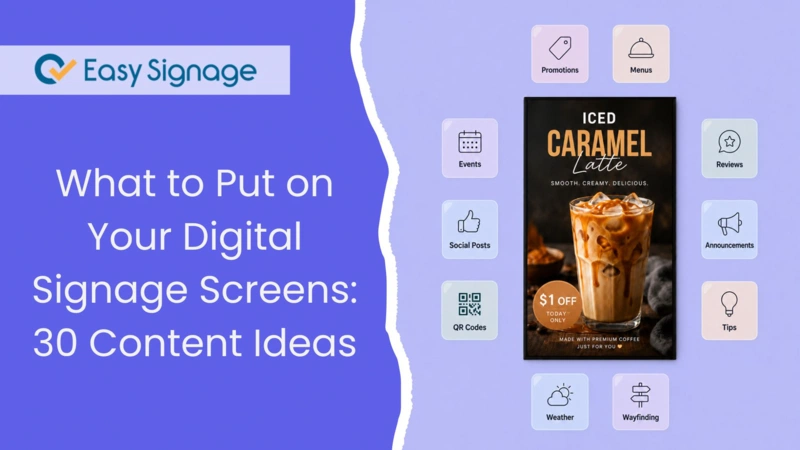
What Should You Display on Digital Signage?
Not sure what to display on your screens? You are not alone. Digital signage works best when it shows the right content to the right audience.
The best digital signage content is brief, visually appealing, and relevant to whoever is standing in front of it. It can include promotions, menus, schedules, social media feeds, live data, staff updates, dashboards, and more, depending on the location of your screens and the demographics of your audience.
If your screens are set up but you are not sure about what to display, this guide provides 30 specific ideas to help you get started.
The Blank Screen Problem
You installed the screens. You set up the software. You even ran a test slide to make sure everything was working. Yet, you find yourself wondering: what do I actually put on this thing?
This situation is common for businesses starting with digital signage. Once the screens are operational, many struggle when it comes to creating engaging content. The result? Screens showing the same slides on loop, or worse, a blank display that makes your space look unfinished.
The good news is that you do not need a professional designer, a content team, or a big budget to keep your screens updated. You just need the right ideas and a platform that makes updates easy.
Here are 30 ready-to-use content ideas grouped by industry to help you find what works for your screens and get them running.
Digital Signage Content Ideas For Retail Stores
1. Current Promotions and Deals
Display your active offers front and centre. A digital screen near the entrance or checkout is an ideal spot to highlight a discount, a limited-time bundle, or a clearance sale. You can update it instantly without printing new materials.
EasySignage Tip:
Use a Canva template
with your brand colours and easily update your offers directly from the EasySignage dashboard.
👉 See how retail businesses use EasySignage to manage promotions.
2. Bestselling Products
Highlight your best-selling items with images and short descriptions. This builds social proof and encourages undecided shoppers to consider popular options.
3. Customer Reviews and Ratings
Show real reviews from platforms like Google, Trustpilot, or social media. Testimonials from other customers help build trust at the moment of decision.
EasySignage Tip:
Use the Social Walls
integration to display live reviews and social media mentions automatically.
👉 See how businesses use social media walls on digital signage to build trust and drive engagement.
4. QR Codes to Your Online Store
Connect your in-store screens to your website or online shop. Customers can scan a QR code to explore more products, sign up for loyalty programs, or redeem a digital voucher.
EasySignage Tip:
Use the built-in QR Code Generator
in EasySignage to create and display a QR code directly on your screen. Link it to a product page, a sign-up form, or any URL you want. Update the destination anytime without changing the screen layout.
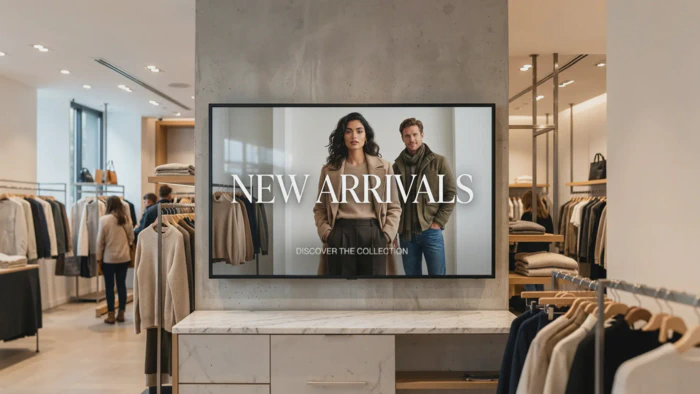
5. New Arrivals
Announce new stock with product images and a short intro. This keeps your displays feeling current and gives returning customers a reason to stop and look.
6. Countdown Timers for Flash Sales
Create a sense of urgency with a live countdown to the end of a sale or the start of a new promotion. Countdown timers are easy to set up and highly effective at driving customer action.
EasySignage Tip:
Use the Countdown Counter app
in EasySignage to add a live timer directly to your screen. Simply set the end date and time, and the timer counts down automatically. Use it for flash sales, product launches, seasonal events, or any promotion with a deadline.
Digital Signage Content Ideas For Restaurants and Cafés
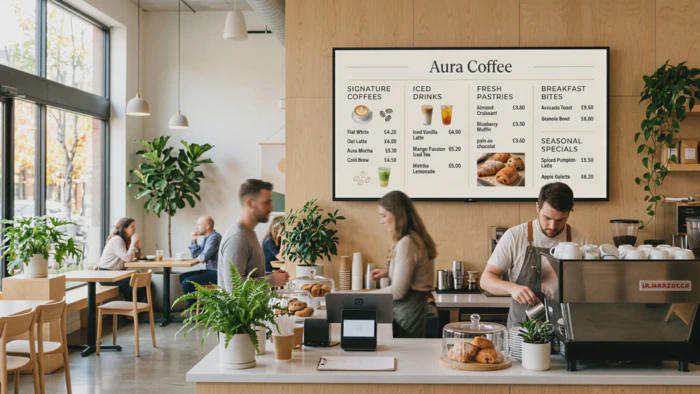
7. Digital Menu Boards
Replace printed menus in your restaurant or café with a dynamic digital board. Update prices, add daily specials, or remove sold-out items in seconds.
EasySignage Tips:
Use Google Sheets integration to update your menu dynamically. Change a price in the spreadsheet, and it updates on the screen automatically.
You can even schedule different menus for breakfast, lunch, and dinner using dayparting, so the right menu shows at the right time without any manual switching.
👉 See how restaurants and cafés use digital menu boards with EasySignage to save time and boost sales.
8. Daily Specials
Showcase your chef’s special or the dish of the day with an appetising image. Rotating specials keeps your display interesting and helps promote higher-margin items.
9. Allergen and Dietary Information
Display clear icons for common allergens such as gluten, nuts, and dairy alongside menu items. This improves the customer experience and keeps you compliant with food labelling requirements.
10. Social Media Feed Wall
Display your Instagram or TikTok feed on a screen near the counter or in the dining area. Showcasing user-generated content, like photos of your food shared by customers, is authentic and eye-catching.
EasySignage Tip:
Connect the Instagram App
to display live social media feeds without any manual updates.
11. Wait Time Display
When your restaurant gets busy, displaying a live wait time screen can reduce customer frustration and better manage their expectations. Customers who know how long they will wait are more likely to stay.
12. Behind-the-Scenes and Chef Stories
Provide customers with a glimpse into your kitchen, who is cooking, where your ingredients come from, or how a signature dish is prepared. This kind of content builds a personal connection with your brand and gives people something to talk about while they wait.
EasySignage Tip:
Use a short looping video or a simple image slideshow created in Canva and displayed directly through EasySignage. You don’t need a video production team; even a well-shot phone video works well on screen.
Digital Signage Content For Corporate Offices and Workplaces
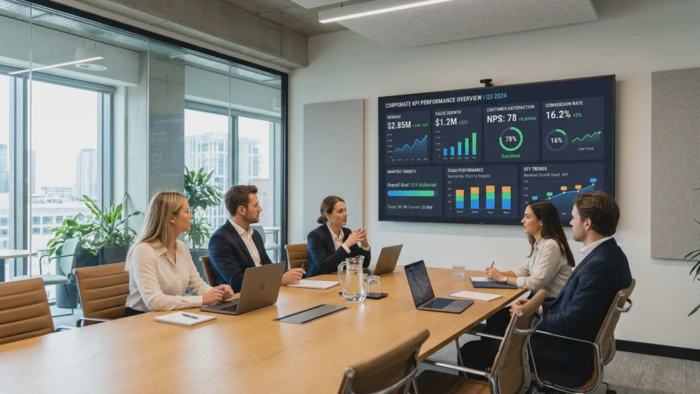
13. Company KPIs and Live Dashboards
Display real-time business metrics, sales numbers, performance data, or customer satisfaction scores on screens in open-plan offices or break rooms. It keeps teams aligned and drives accountability.
EasySignage Tip:
Connect Power BI
, Tableau
, Looker Studio
, Geckoboard
, or Google Sheets
to display live data dashboards directly on your screens.
14. Internal Announcements
Share company news, policy updates, or upcoming events. Screens in communal areas reach everyone without relying on emails that get ignored. Many businesses are now using digital signage for internal communication as a faster and more visible alternative to noticeboards and group emails.
EasySignage Tip:
Schedule announcements to appear at specific times, for example, a Monday morning update that runs for the first hour of the workday, then switches back to your default content automatically.
15. Employee Spotlights
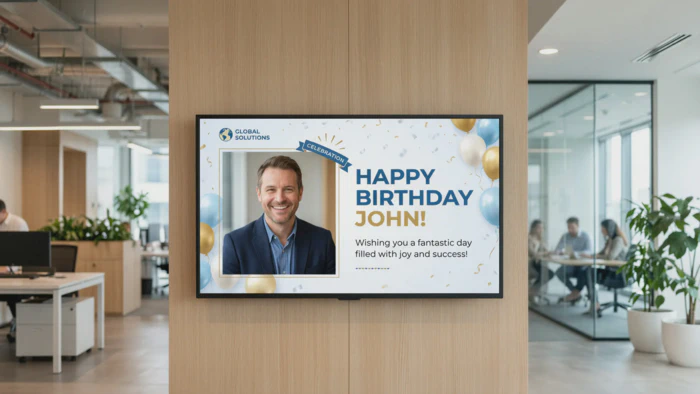
Celebrate team members with an “Employee of the Month” recognition, a “Welcome to the Team” introduction for new starters, or a birthday shoutout for those celebrating on that day. It boosts morale and makes individuals feel valued.
16. Meeting Room Availability
Display a real-time schedule of meeting rooms, indicating which rooms are available, which are booked, and for how long. This helps reduce wasted time and prevents awkward double-bookings.
EasySignage Tip:
Use the EasySignage Door Label integration
to automatically show live meeting room schedules.
17. Company Values and Mission
Reinforce your company culture by displaying your mission, values, or key goals. This is especially useful in reception areas and onboarding spaces.
18. Safety and Compliance Notices
Display health and safety reminders, emergency procedures, or compliance updates. Using screens in warehouses, factory floors, or reception areas is a reliable way to keep this information visible at all times.
Digital Signage Content Ideas For Schools and Universities
19. Daily Announcements
Replace the morning PA announcement with a visual message on screens across campus. Students and staff see what is happening at a glance, no noise, no interruption.
20. Event Schedules and Timetables
Show upcoming events, exam timetables, or sports fixtures on screens in hallways, cafeterias, and common areas. Keep all information updated centrally to ensure there is one reliable source.
EasySignage Tip:
Use Google Calendar
integration to sync your academic calendar directly to your screens. Events and schedule changes update automatically, no need to log in and edit content manually.
21. Emergency Alerts
In the event of a fire alarm, lockdown, or campus emergency, digital signage provides instant, campus-wide communication. You can push an alert from your dashboard, and every screen will update within seconds.
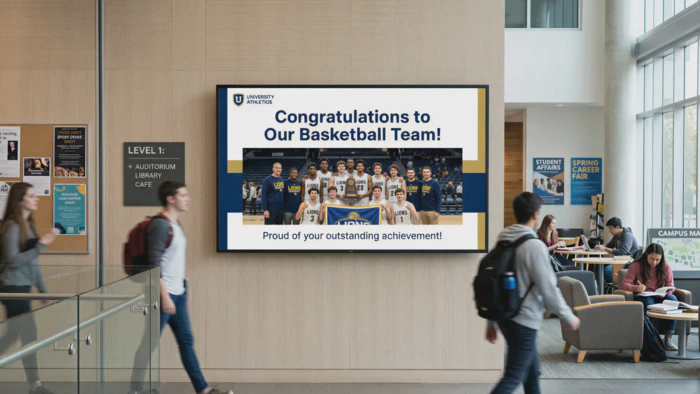
22. Student Achievements
Celebrate exam results, awards, sports victories, and student projects by showcasing them on a dedicated screen in the reception area or main hall. This highlights achievements and fosters school pride.
23. Cafeteria Menus
Display the day’s lunch menu in the cafeteria or nearby corridors. Add images, pricing, and allergen information to help students plan and reduce queues at the counter.
Digital Signage Content Ideas For Healthcare Settings
24. Health Tips and Seasonal Advice
Use waiting room screens to share useful health information, flu season tips, hydration reminders, or advice on managing common conditions. It turns passive waiting time into something productive.
25. Clinic Hours, Services, and Insurance Information
Display your clinic’s opening hours, a list of services offered, and the accepted insurance providers on waiting room screens. Patients often arrive with questions about what is covered or what services are available. Providing this information on screens saves your front desk team time and reduces unnecessary interruptions.
26. Wayfinding Directions
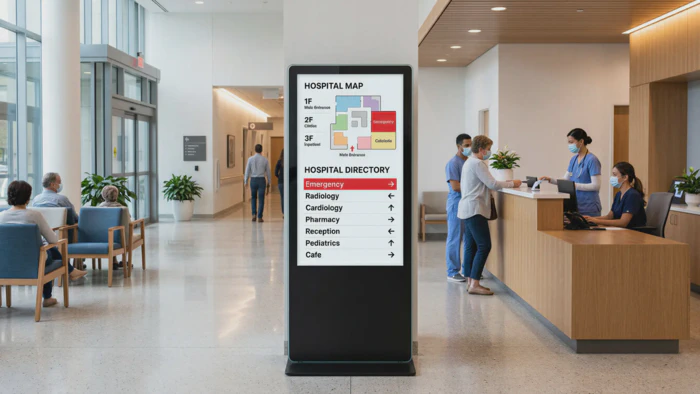
Large clinics and hospitals can be confusing to navigate. Wayfinding digital signage is one of the most practical investments you can make to provide clear directional maps and department locations on screens at entrances and along corridors to help patients find their way independently.
EasySignage Tip:
Use the EasySignage Interactive Kiosk App
to display wayfinding content on screens placed at key decision points, entrances, lift lobbies, and corridor junctions to let patients search for a department or doctor by name and get step-by-step directions on a touchscreen.
27. Appointment Reminders and Check-In Instructions
Tell patients what to do when they arrive. Specify whether they should check in at the reception desk, use a self-service kiosk, or take a seat in a specific area. This reduces confusion and speeds up the process.
Digital Signage Content Ideas for Any Industry
28. Live Weather Widget
A live weather display is simple, always relevant, and provides screens with content to show when there is no other content scheduled. It works well as a filler between promotions or as a permanent background element.
29. World Clock or Local Time
If your business works across time zones or serves international visitors, adding a world clock showing multiple time zones is a practical and professional enhancement to any screen.
30. Inspirational Quotes or Brand Messages
Rotate a collection of quotes, values, or motivational messages that align with your brand. It is simple to set up, always looks good, and keeps screens active even when specific content is not scheduled.
How Often Should You Update Your Digital Signage Content?
There is no single answer, but a useful rule is this: update your content whenever something relevant changes.
For retail and hospitality businesses, updates might be daily to accommodate new specials, new promotions, or differing content for morning and evening.
For corporate offices, it might be weekly or whenever there is news to share.
For schools and educational institutions, updates often follow the academic calendar.
The key is to avoid displaying the same content for weeks. Screens that never change stop getting noticed.
A simple approach to managing your content:
- Set evergreen content (such as your brand, your values, weather, clocks) as default.
- Add time-sensitive content on a schedule (like promotions, events, and daily specials).
- Use expiry dates (Playback Times) to ensure old content is removed automatically.
EasySignage allows you to schedule content by day, time, and screen, so you can set it up in advance and let it run without constant manual updates.
What Makes Digital Signage Content Effective?
Not all content is equally effective on a screen. Here are a few principles to keep in mind:
Keep Text Short:
Most people glance at a screen for only a few seconds. If your message takes 30 seconds to read, it likely won’t be read at all.Use Large, High-Contrast Text:
Small fonts are often ignored, especially from a distance. Make sure your text is easy to read.Include One Clear Call to Action:
Clearly instruct viewers on what to do next, such as “Scan this,” “Visit here,” “Order now,” or “Ask us about this.”Match Content to Context:
Different audiences require different messages. For example, the content for a morning commuter audience should differ from that for an after-work crowd. Use scheduling to deliver the right message at the right time.Use Images and Video:
Movement and visuals are far more effective at attracting attention than text alone, so incorporate these elements into your content.
Getting Started with EasySignage
You now have 30 content ideas and the tools to make them work. The only thing left is to get your screens running.
EasySignage gives you everything you need to manage your digital signage from one dashboard, without requiring any design skills or technical expertise. You can start with one screen for free and scale as your needs grow.
Access to 100+ apps and integrations, including Canva, Google Slides, Google Sheets, Social Walls, weather, calendars, Power BI, and more.
Ready-made templates to create professional-looking screens in minutes.
Smart scheduling to display the right content at the right time on the right screens.
Remote management to update any screen from anywhere instantly.
Free plan available: you can start with one screen at no cost, no credit card required.
Frequently Asked Questions
Q: What should I put on the digital signage screen?
A: The best content for your displays depends on your industry and audience. Some common options include promotions , menus , event schedules, social media feeds, live dashboards , company announcements , and health tips. Start with content that directly helps or informs the people who are in front of your screens.
Q: How often should I update digital signage content?
A: You should update content whenever there are relevant changes. For retail and hospitality, daily updates work well. For offices and schools, weekly updates or updates based on specific events are often enough. Use scheduling tools to automate updates and set expiration dates so old content removes itself.
Q: What types of content work best on digital screens?
A: Short and visual content is most effective. Use large text, high-quality images, and short video clips, focusing on a single clear message per slide. Avoid using dense paragraphs and small fonts. Content that includes motion or animation tends to attract more attention.
Q: Can I display social media on digital signage?
A: Yes. You can display live social media feeds on your screens, including platforms like Instagram , Facebook, X (Twitter), and YouTube. Tools like Social Walls integrate with EasySignage to pull in posts automatically, including hashtag feeds and customer reviews.
Q: What is the best free digital signage content?
A: Some good free options include Canva designs, live weather widgets, Google Slides, RSS news feeds, Google Sheets-powered menus or schedules, and more. EasySignage offers all of these as free apps on its platform.
Q: How can I keep digital signage content fresh without too much effort?
A: Use integrations that update automatically, like live social feeds, Google Sheets data, or calendar-based schedules. Plan your content playlists in advance and use scheduling features to rotate content by time of day or day of week. This way, your screens stay up-to-date with minimal manual effort.
Ready to put these ideas into action?
Start with one screen at no cost. No credit card required.