QSR Digital Signage: Faster Service, Higher Sales
Digital Signage Solutions for QSR: Faster Service, Better Menus and Higher Sales
In quick-service restaurants (QSRs), speed and clear communication are everything. Customers expect fast service, easy-to-read menus, and a smooth ordering experience. At the same time, QSR owners aim for higher sales, flexible menus, and tools that keep their teams working efficiently. This is where QSR digital signage makes a big difference.
Digital signage displays are now a key part of fast-food chains, cafés, bakeries, food courts, kiosks, and drive-thrus. They deliver strong results with less effort. Digital menu screens, dynamic content, and automated updates help restaurants serve customers faster, promote high-margin items, and improve the full in-store experience.
This guide outlines how digital signage improves QSR operations, why it increases sales, and how EasySignage makes it easy to manage everything from a single platform.
What Is QSR Digital Signage?
QSR (Quick-Service Restaurant) digital signage means using digital screens inside and outside fast-food restaurants to display food menus, prices, promotions, and real-time updates. It replaces old printed menus and posters, making it easy for restaurants to update content instantly across all stores.
These screens can be used at the counter, inside the restaurant, in the drive-thru, or even in the kitchen. They help customers see menu items clearly and help staff work faster.
Digital signage for QSRs includes:
- Digital menu boards
- Drive-thru menu screens
- In-store Promotional display screens
- Kitchen display communication screens
- Outdoor weather-proof digital displays
Why Digital Signage is Important for Quick Service Restaurants (QSRs)
Below are the top reasons why QSR digital signage solutions are now essential for modern restaurants.
1. Faster Service & Reduced Wait Times
Digital menu boards make it easier for customers to decide and choose their meals quickly. Clear visuals, organised sections, and real-time product updates reduce confusion and speed up the ordering line, which is something every QSR needs.
2. Dynamic, Easy-to-Update Digital Menu Boards
Printed menus are slow to update and expensive to replace. By using a cloud-based content management system like EasySignage, restaurants can instantly update menus from any location.
With digital menu screens, restaurants can:
- Update prices in real-time
- Change menus for breakfast, lunch, and dinner (dayparting)
- Promote best-selling items
- Adding seasonal menus
- Highlight low-stock or new products
- Include high-quality visuals and videos
3. Boost Sales With Smart Promotions
Digital signage is a powerful tool for upselling in QSRs.
With digital displays, restaurants can display:
- Combo deals
- Add-ons
- New menu items
- Limited-time offers
- Season specials
- Upsell suggestions
Eye-catching visuals naturally encourage customers to try new items, and this leads to more sales without adding extra work for your staff. Tempt customers with vibrant 4K food visuals that spark cravings and make your menu items irresistible.
4. Drive-Thru Digital Menu Solutions
Drive-thru screens are one of the biggest money-makers for QSRs. Customers using the drive-thru want fast and smooth service.
Digital menu boards make this easy by:
- Displaying clear and easy-to-read menus
- Suggesting fast-order items to speed things up
- Allowing menu changes in seconds
- Withstanding rain, heat, and harsh weather with weather-proof screens
- Staying bright and visible even in direct sunlight
Digital drive-thru screens help keep the line moving, improve customer experience, and increase sales.
5. Better Operations and Team Communication
Digital signage is not just for customers. It also improves restaurant operations and supports staff.
QSRs can use screens in the back-of-house to show:
- Kitchen instructions
- Order queue visibility
- Stock alerts
- Staff reminders and shift notes
- Safety updates
- Training content and videos
These screens keep the team aligned and reduce errors during busy hours.
6. Lower Costs Compared to Printed Materials
Printing new menus, posters, and promotional materials again and again can be expensive. With digital signage, QSRs can easily update their content online without paying for reprints.
It also helps keep all locations consistent, so every branch displays the same accurate and up-to-date information.
What Types of Digital Signage are Used in Quick-Service Restaurants?
QSRs use a mix of indoor, outdoor, and operational digital signage to improve customer experience, boost sales, and speed up service.
- Indoor (Inside the restaurant)
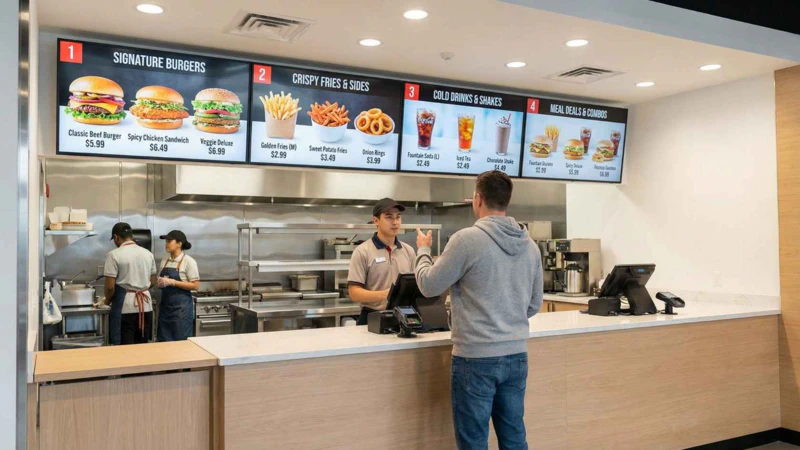
1. Digital Menu Boards:
These are the screens customers see when ordering inside the restaurant. They usually show:
- Menu items
- Prices
- Promotions and combos
- Nutritional information
- Animated content to boost appetite
- QR codes to scan menus
2. Promo / Marketing Screens:
Standalone screens or window displays are used at entrances, waiting areas, and dining zones to showcase promotions, daily offers, and new item launches.
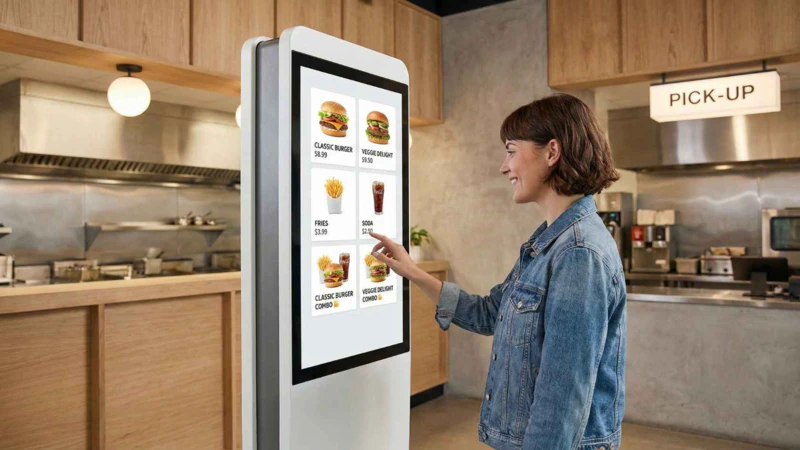
3. Self-Order Interactive Kiosks:
Interactive touchscreen kiosks where customers place their own orders. They usually include upsell suggestions, visual menu browsing and add-on recommendations. These screens reduce queue time and increase the average order value.
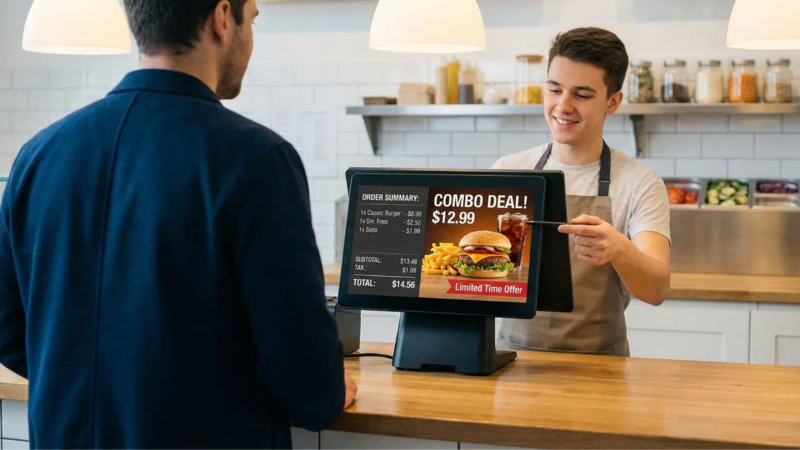
4 . Point of Sale (POS) Screens:
These are digital displays used at the cashier station in QSRs. They show customers their order details, total price, and sometimes promotions or upsell suggestions.
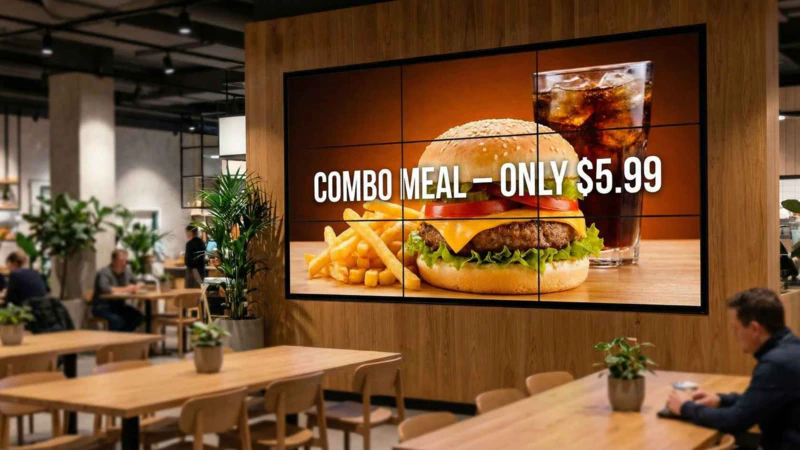
5. Video Walls:
Video walls are multiple screens combined to create one large display. They are perfect for high-traffic areas or flagship restaurant locations.
QSRs can use video walls to show bright, eye-catching, and mouth-watering food images that grab customers’ attention.
6. Kitchen/Back-of-House Digital Signage
These are screens for staff and operations. They help the team work faster and improve workflow during rush hours.
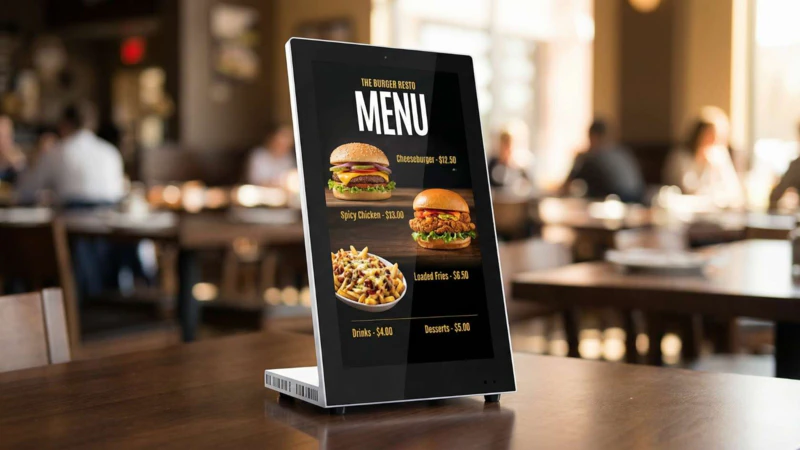
7. Tablet Signage for Table Service (Growing Trend):
Tablet signages are small touchscreen displays used at tables in some QSRs and fast-casual restaurants. These screens are becoming more popular, and they let customers place orders directly from their table, browse menus, and view upsell suggestions, combos and add-ons.
- Outdoor (Outside the Store):
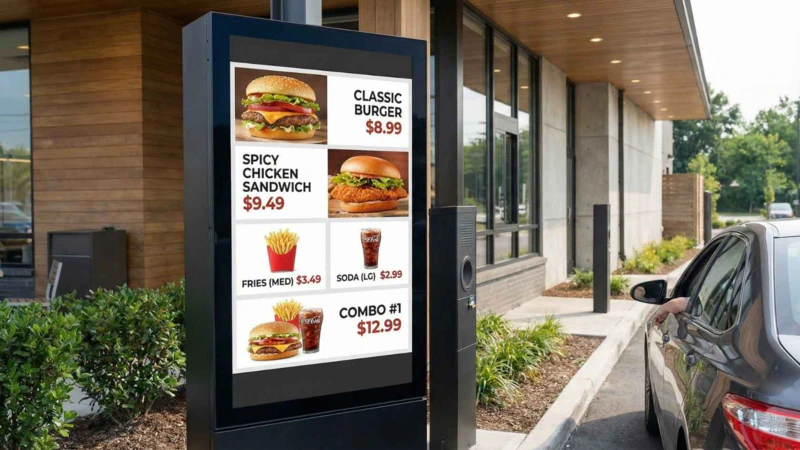
1. Drive-Thru Digital Menu Boards:
Drive-thru menu panels are weather-proof, high-brightness screens designed for outdoor drive-thru lanes. They show daypart menus (breakfast/lunch/dinner), daily specials, and limited-time offers to customers waiting in line. These screens make it easy for drivers to see menu options and make decisions faster.
2. Outdoor Promotional Screens:
These are screens used to highlight offers, new items, or combo deals outside the restaurant. These bright, eye-catching displays attract attention from passing cars and pedestrians, helping to bring more customers into the restaurant.
How EasySignage Supports Quick Service Restaurants (QSRs)
EasySignage gives QSR owners a simple and powerful way to manage their digital menu boards and in-store screens. Everything is controlled from one content management dashboard, making it easy to update menus, promotions, and announcements at any time.
Scheduling Food Menus and Dayparting
Restaurant owners or managers can automatically schedule menus to change based on the time of day, like breakfast, lunch, dinner, or late-night offerings. This scheduling feature ensures that customers always see the appropriate items at the right time without any manual work required.
Read more about How to Automatically Schedule Food Menus on Digital Signage.
Dynamic Digital Menu Boards
EasySignage makes it easy to run dynamic digital menu boards that look clean, modern, and always up to date. Restaurant owners can instantly change prices, update food images, or add new promotions with just a few clicks.
With the built-in template editor, restaurants can create menu layouts from scratch or customise pre-made templates. This allows teams to edit designs instantly and launch fresh menus, limited-time offers, or sold-out replacements in seconds.
Google Sheets for Dynamic Menus
QSRs can connect Google Sheets to EasySignage to update prices, availability, or items in real-time. If there is a change in the sheet, it automatically reflects on the screen.
Read more about How to Integrate Google Sheets for Dynamic Data.
High-Quality Videos & Food Images
You can mix full HD and 4K videos with appetising food images to grab attention and increase cravings. Visual menus help increase conversions and make ordering easier.
Creative Apps for Menu Design
EasySignage supports apps like Canva, DSMenu, MustHaveMenu, and PosterMyWall. QSR teams can design beautiful menus quickly and send them directly to their screens. Once the menu design is linked to EasySignage, any change made in the menu file updates automatically on the screen; no need to open the EasySignage CMS each time. Just update the menu in the design app or connected source, and the screen reflects it instantly.
POS Integration
EasySignage integrates with major POS systems like Oracle Micros Simphony and Square, allowing menu items and prices to update automatically. This keeps menus accurate across all branches with no manual entry.
Centralised Management for Multi-Branch QSRs
If your restaurant has multiple branches, EasySignage makes it easy to manage content across all locations from a single platform. You can update your menus, promotions, or videos once and distribute them to selected branches instantly.
EasySignage also includes a tagging system, where you can group screens by location, region, or menu type, like “Downtown Branch,” “Drive-Thru Screens,” or “Breakfast Menus.” This tagging system ensures that each screen receives the right content without any confusion. For example, you can update prices only for a specific region or display a special offer in selected branches.
This funtionality helps larger QSR chains maintain menu consistency in their menus, speed up updates, and run location-specific promotions without any extra effort.
Final Thoughts
Digital signage is no longer an option for QSR operations; it’s a key tool to improve service speed, increase sales, and give customers a better experience.
Many QSRs that use digital signage see a real lift in sales. For example, restaurants reported 20–30% higher sales after using digital menu boards, especially when they use bright visuals, highlight combos or promotions, and update menus in real time. These gains come from faster ordering, clearer menus, more upsells, and customers choosing more items when menus look fresh and appealing.
If you own a fast-food chain, café, bakery, or restaurant, and you want a scalable, easy-to-manage, cloud-based platform, EasySignage is built to help you grow and deliver great service every day.