Occasions
Celebrate birthdays, work anniversaries and retirements on your screens. Add your people and their dates once, and each person gets their own slide on their day.
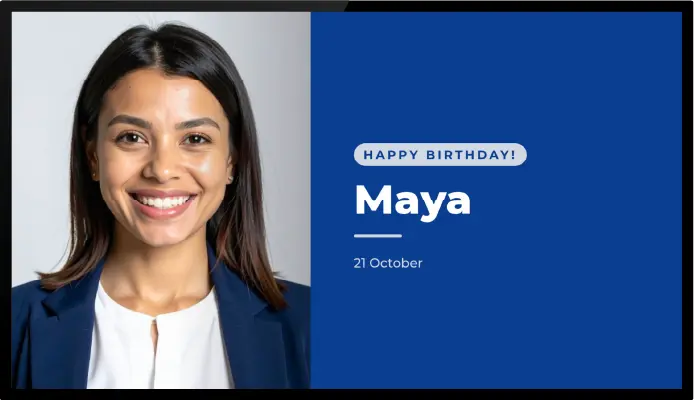
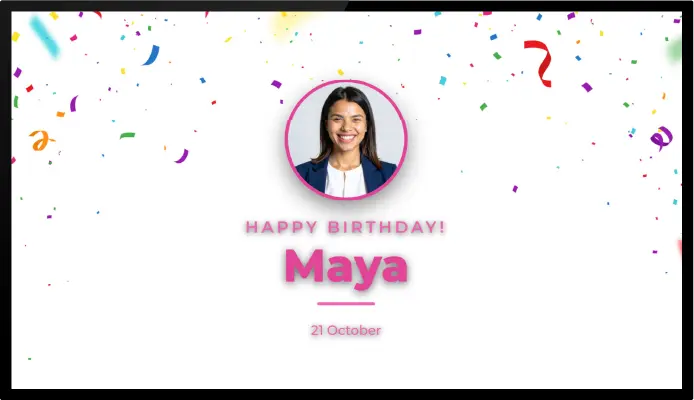
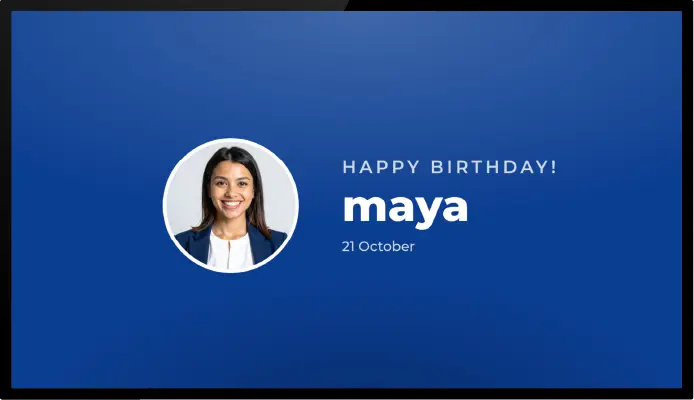

About This App
The Occasions app puts birthdays, work anniversaries, retirements and other dates on your digital signage. You keep a list of people and their dates, pick a design, and on each person’s day the screen shows a slide with their name and your message. On days with no one to celebrate, the app shows nothing, so your other content keeps playing.
It suits offices, schools, factories, hospitals and anywhere a team shares a screen. Recognising someone’s birthday or tenth year with the company on the staff room screen takes one entry, not a new design each time.
Design it once
Choose one of three themes: Spotlight puts a round photo beside the text, Split puts the photo on the left and the text on the right, and Backdrop places the text over a background image of your choice. Set the background and text colours, add your logo to the corner of every slide, and choose the word that follows the year count, such as “Years”. Every slide uses the same design, so the screen stays on brand.
Add your people
Each entry has a name, an optional message such as “Happy birthday”, the date, and an optional photo. Set it to repeat every year for birthdays and anniversaries, or to show once for a single event. Turn on the year count for work anniversaries and the app works out the number from the date you entered.
For a large team, import everyone at once: paste a list or load a CSV file with each person’s name and date. One Occasions item holds up to 200 entries, and you can add another item for more people.
On each person’s day, their slide plays for the duration you set in the playlist. The day comes from the screen’s own clock.
Occasions is included on the Premium and Enterprise plans.
Key Features
Show a slide for each person on their birthday, work anniversary or other date
Add the year count automatically, for example "5 Years" on a work anniversary
Choose from three themes and set your own colours, logo and background image
Add a name, a short message and a photo for each person
Import a whole list at once by pasting it or loading a CSV file
Set dates to repeat every year, or to show once on a single day
Need help setting up?
Follow the step-by-step setup guide to get started quickly.