Notion App
Display live Notion pages on your digital signage with EasySignage. Easily embed links and enjoy real-time updates without manual uploads or refreshes.



About This App
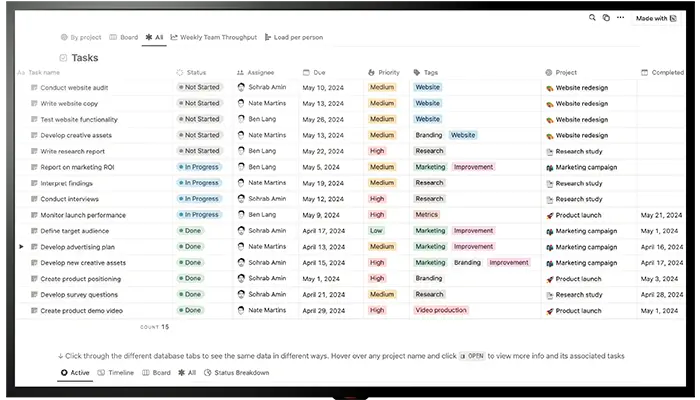
Integrating EasySignage with Notion brings a new level of flexibility and automation to your digital signage content. Notion app, known for its powerful note-taking, collaboration, and knowledge management tools, allows you to create beautifully structured pages, dashboards, and databases. With EasySignage, you can now embed these Notion pages directly into your digital signage screens, ensuring your content remains live, relevant, and continuously updated.
This integration eliminates the need for manual uploads or reformatting. All you need to do is copy the public HTML code of your Notion page and paste it into the Notion App on EasySignage. Your Notion page will then be displayed exactly as it appears in the browser. Any edits you make in Notion will automatically update on your screens without the need to re-upload or republish the content.
You can also configure a custom refresh interval in minutes to control how often the screen reloads the latest version of your Notion page. Whether you’re sharing project updates, internal announcements, or live knowledge bases, this integration ensures real-time communication with your team or audience.
Key Features
Embed any public Notion page directly on your digital signage screens
Edits made in Notion reflect on screens automatically
Set a custom refresh interval to keep content always current
Display project updates, announcements, knowledge bases, and team dashboards
No reformatting required; the page appears exactly as it looks in Notion
Display Notion pages fullscreen or alongside other content in a multi-zone layout
Need help setting up?
Follow the step-by-step setup guide to get started quickly.