Emergency Alerts for Digital Signage
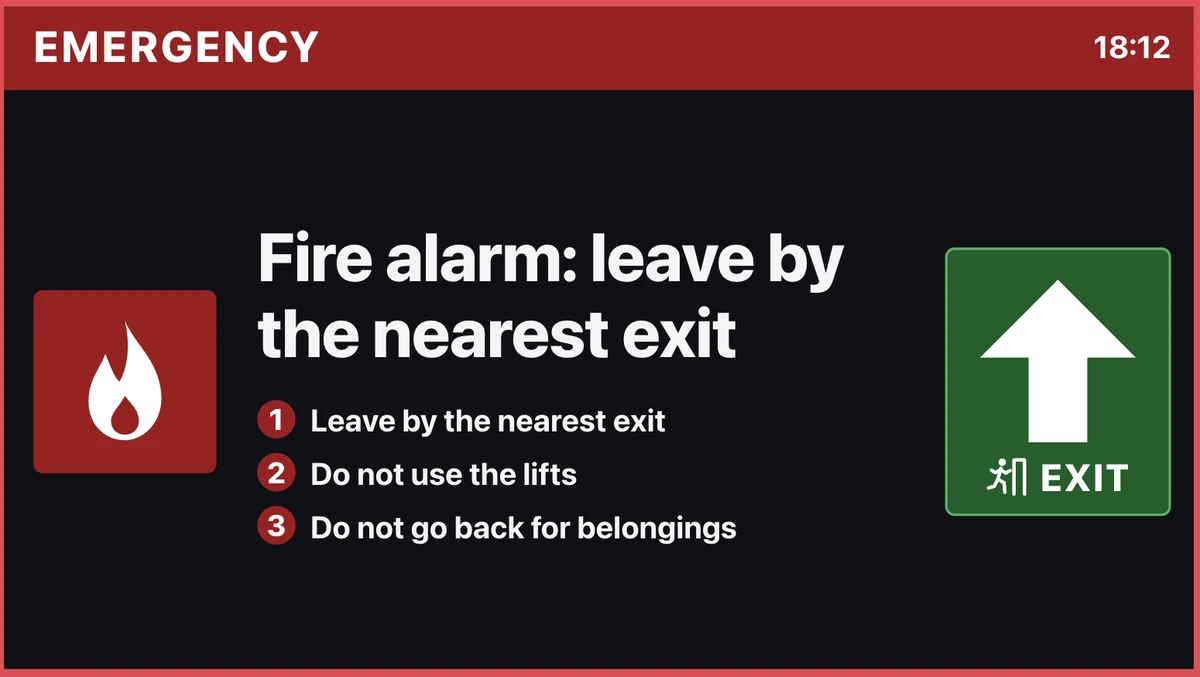
The Emergency Alert app shows evacuation, fire, lockdown and other emergency messages on your screens, with numbered instructions in 18 languages and a green exit arrow pointed for each screen.

What Makes It Different
12 ready-made alerts
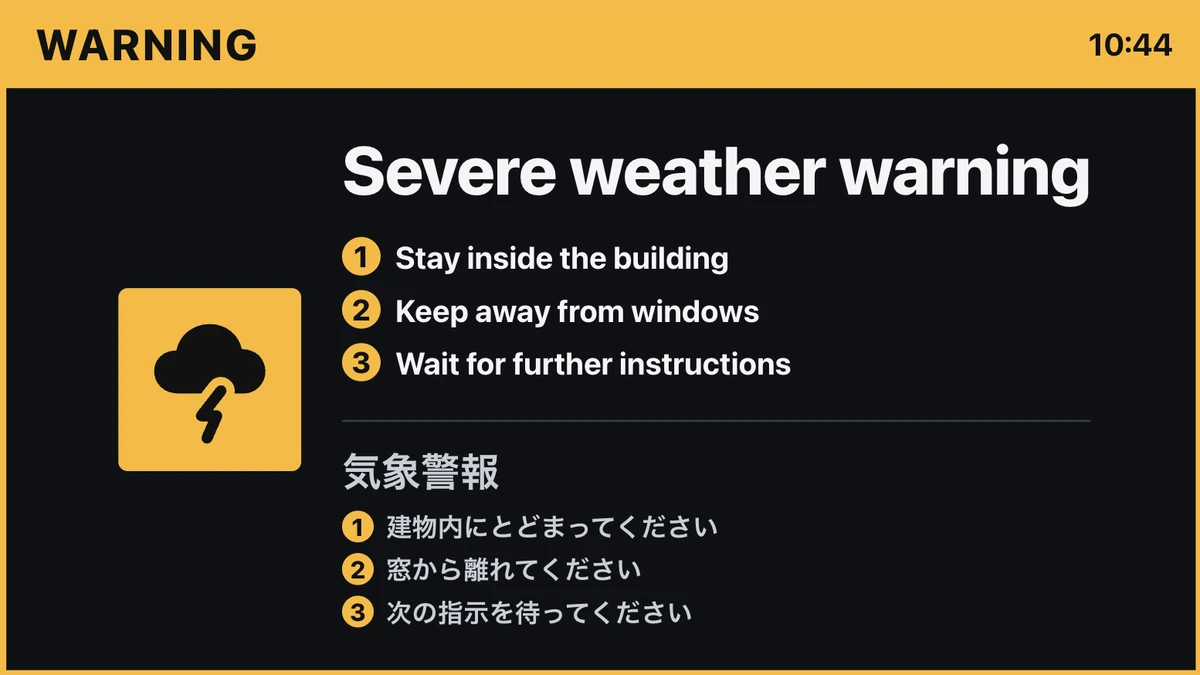
Evacuate, fire, lockdown, shelter in place, severe weather, gas leak, earthquake and more, each with its own pictogram, headline and instructions.
An exit arrow for every screen
A green exit sign points to the way out. Tag each screen with its exit direction, and one alert points the right way everywhere.
18 languages
The standard headline and instructions come in 18 languages, including Arabic. Add a second language under the first.
Severity you can read
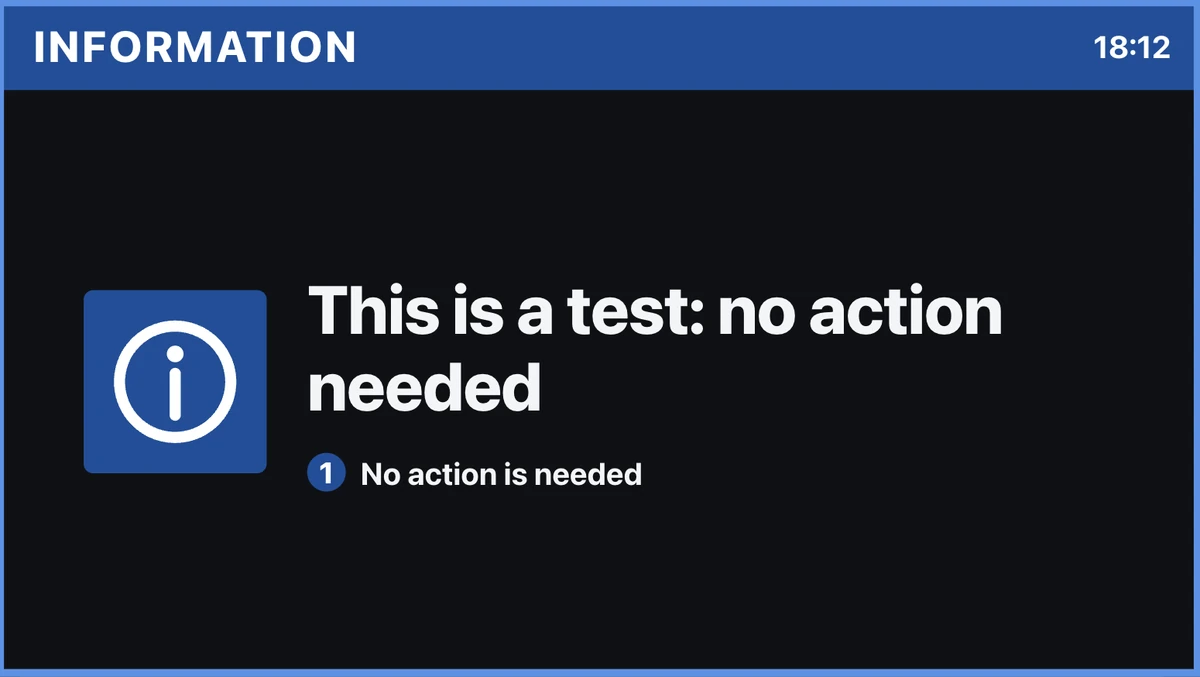
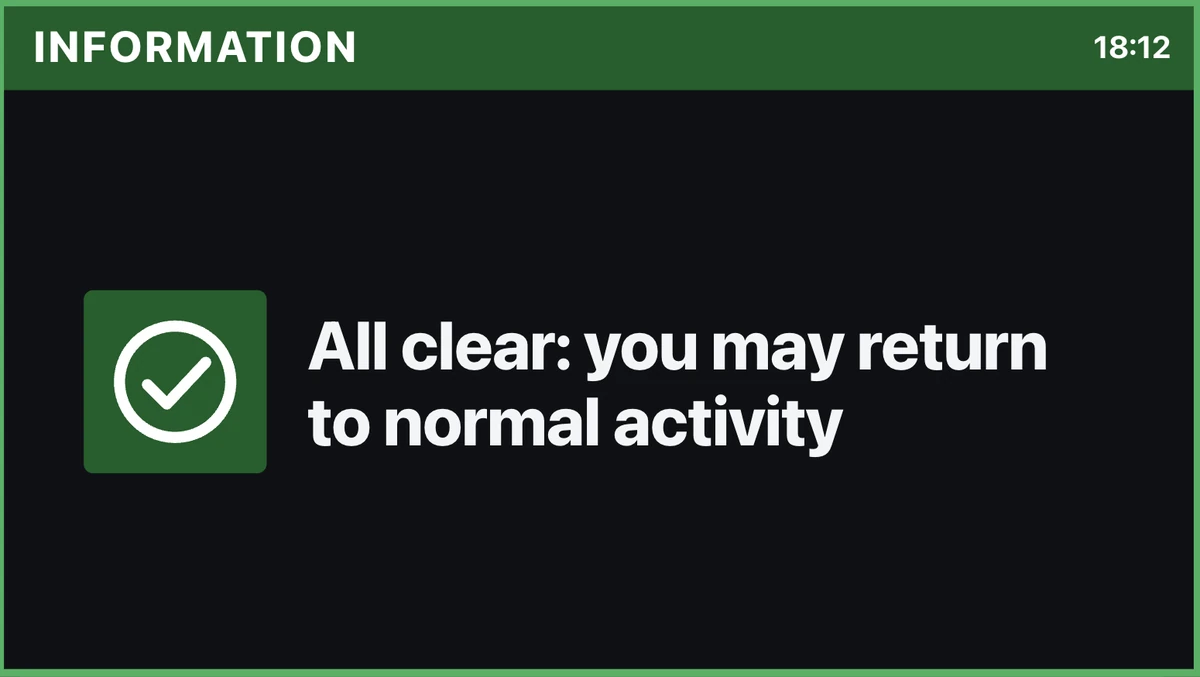
Red for emergency, amber for warning, blue for information, green for all clear, and the word is always written in the top bar too.
Fits any layer
Full screen in landscape or portrait, a one-line footer strip, or a small corner zone. The alert resizes to stay readable.
Runs without internet
The alert runs on the screen itself, so it keeps showing if the connection drops.
About This App
The Emergency Alert app turns your screens into emergency signage. Pick an alert such as Evacuate, Fire or Lockdown, and every screen shows the severity, a pictogram, a short headline and numbered instructions in your visitors’ language. When people need to leave, a green exit sign with an arrow shows them the way out, pointed correctly for each screen.
Build your alerts before you need them, one playlist per alert, and test them with the Test of the display system alert so nobody mistakes a drill for the real thing. It suits offices, schools, hospitals, factories, hotels and any building with screens where people gather.
The app shows on-screen messages only. It doesn’t replace a fire alarm or a PA system, and it doesn’t receive alerts from public warning feeds. For step-by-step setup, including exit direction tags, see the Emergency Alert help guide.
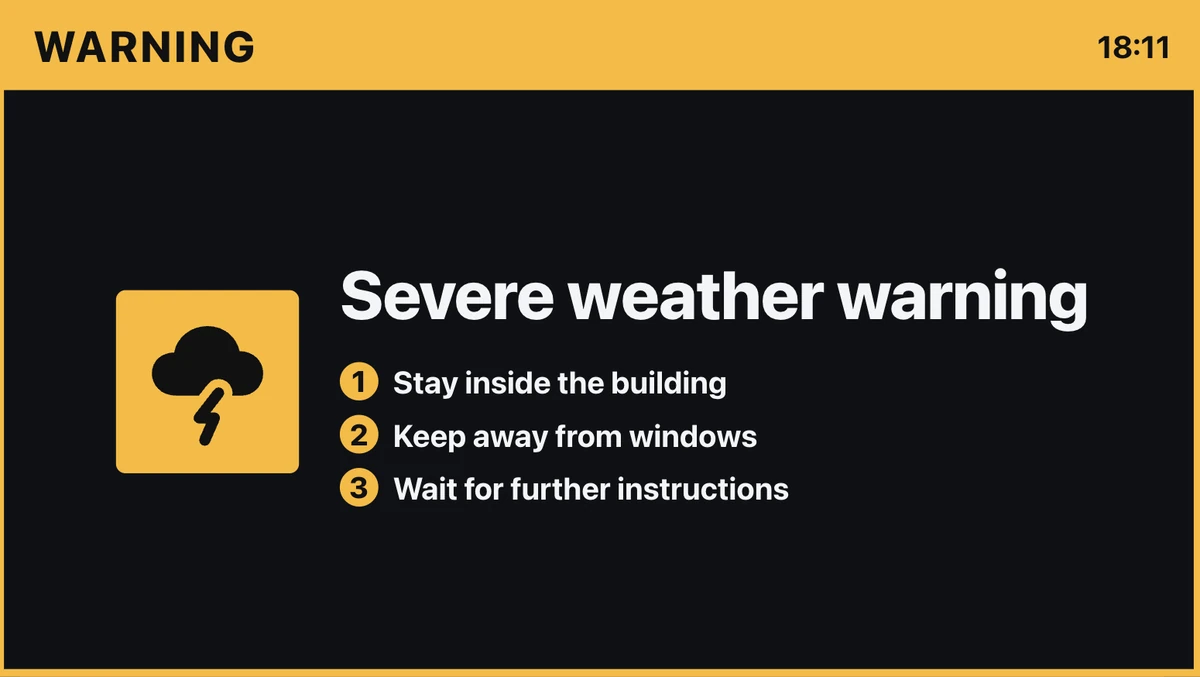
The right instructions, ready before you need them
- Evacuate, Fire, Lockdown, Shelter in place
- Severe weather, Medical emergency, Gas leak, Earthquake
- Hold, Test, All clear and a Custom alert
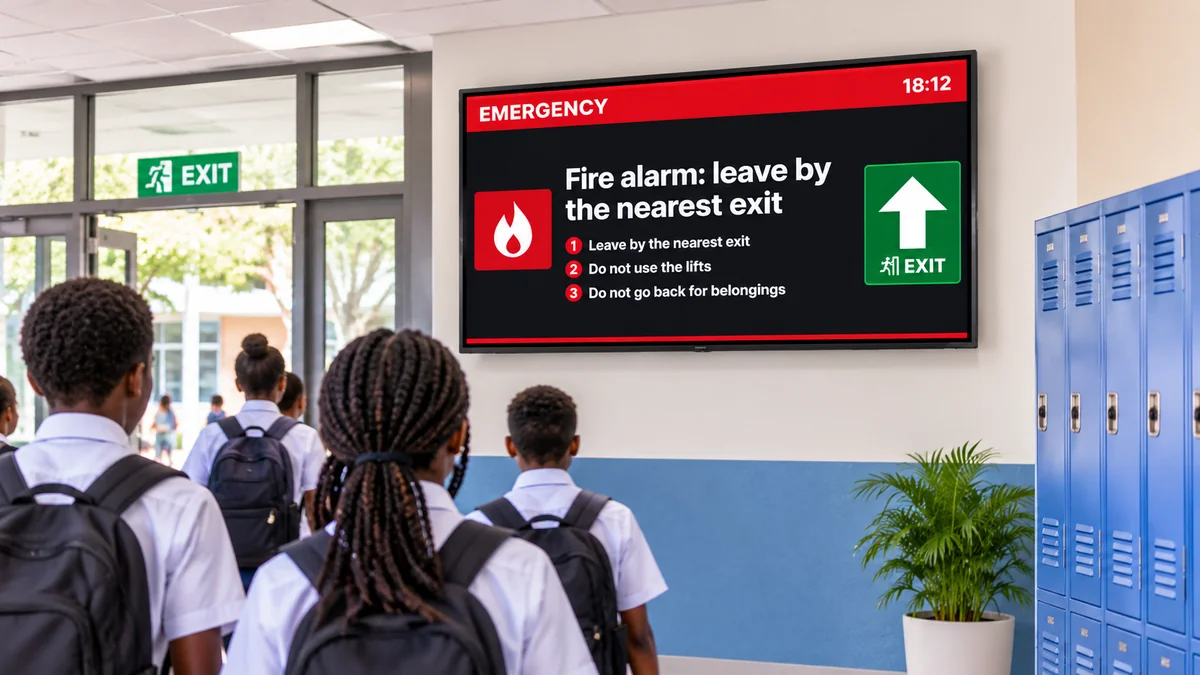
One alert, pointing the right way on every screen
exit_direction:90 to a screen and its arrow points that way, while the alert stays the same in one playlist. The arrow sits on its own green exit sign, away from the hazard pictogram, and only shows for alerts where people leave the building.- Eight directions, from ahead to back or down the stairs
- The arrow glides towards the exit to draw the eye, and never flashes
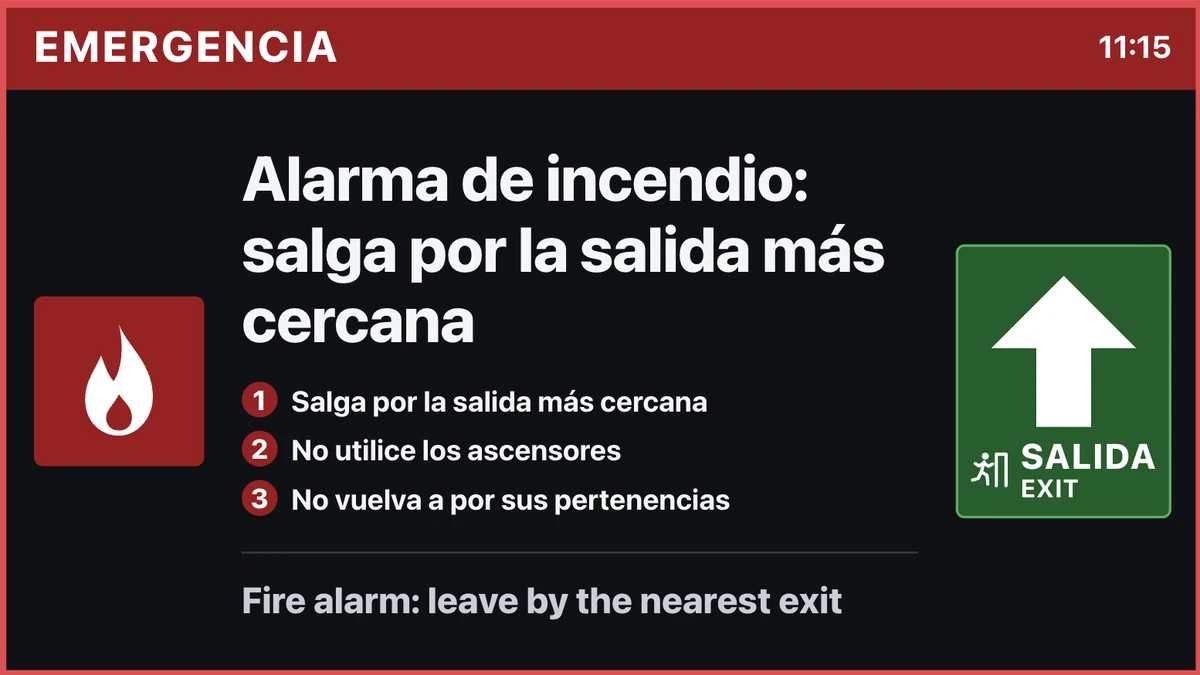
In your visitors' language, or two of them
- The exit sign shows “Exit” in both languages
- Your own text shows as you type it
Key Features
Works in landscape, portrait and any layer size
Choose the severity from the alert, or set emergency, warning or information yourself
Show the current time in the top bar so people can see the screen is live
A still border by default, or a slow pulse that never flashes
Add your logo to the top bar
Shifts by a few pixels every 10 minutes to protect screens from burn-in
A live preview in the editor shows each change as you make it
Frequently Asked Questions
exit_direction to the screen, with the direction after a colon, for example exit_direction:90 for an exit to the right. Screens without the tag use the direction set in the app. The direction is as seen by someone standing in front of the screen.Need help setting up?
Follow the step-by-step setup guide to get started quickly.